> ## Documentation Index
> Fetch the complete documentation index at: https://docs.perfai.ai/llms.txt
> Use this file to discover all available pages before exploring further.
# Integrations
> Connect Perfai to the tools your team already uses — communication, storage, and issue tracking — so security findings flow directly into your existing workflow.
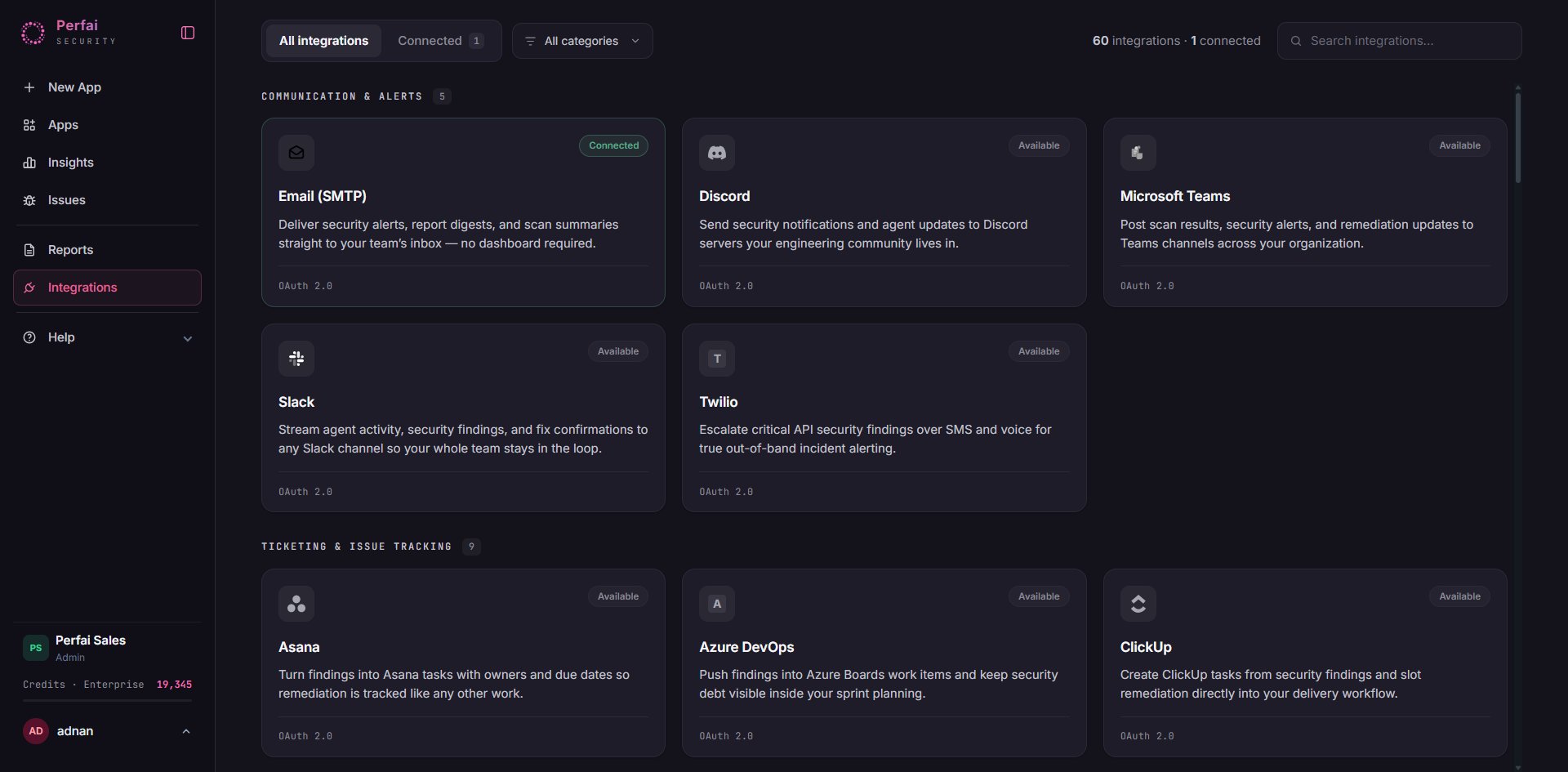 ## What is the Integrations page?
**Integrations** connects Perfai to the tools your engineering and security teams already live in. Instead of requiring everyone to log into another dashboard, Perfai pushes findings, alerts, and reports directly to Slack, GitHub, Jira, and wherever your team works.
The integrations page is organized into three categories: **Communication**, **Storage**, and **Issue Tracking**.
***
## Communication
## What is the Integrations page?
**Integrations** connects Perfai to the tools your engineering and security teams already live in. Instead of requiring everyone to log into another dashboard, Perfai pushes findings, alerts, and reports directly to Slack, GitHub, Jira, and wherever your team works.
The integrations page is organized into three categories: **Communication**, **Storage**, and **Issue Tracking**.
***
## Communication
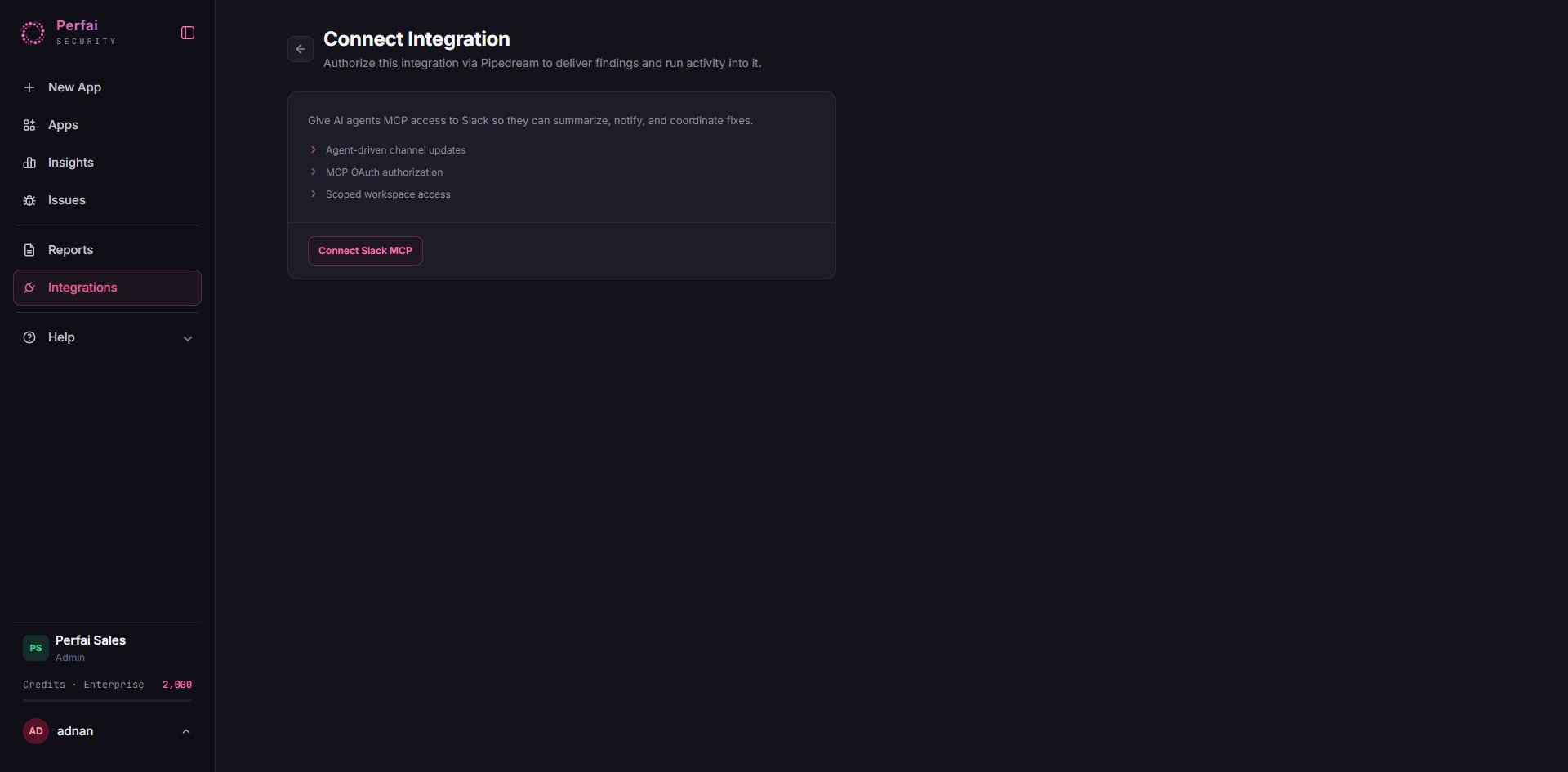 Connect **Slack** or **Email** and Perfai streams live agent activity, security findings, and fix confirmations directly to your channel — no dashboard required.
**What gets streamed to your channel:**
Know the moment a scan begins and when results are ready — no need to check the dashboard.
Critical findings are surfaced immediately, not buried in an email digest.
When the Fix Agent opens a PR (e.g., *PR #247: Sanitize user ID param in /users/{id}*), your team sees it the moment it lands.
A regular summary of your portfolio's security posture — findings opened, fixed, and trending.
**Example activity stream:**
```
# activity-stream # security-alerts
perfai vision_agent — Discovery Agent scanned payment_api_v3,
found 12 new endpoints · today at 1:21 PM
perfai governance_agent — Critical — SQL injection risk in
GET /users/{id}/profile · today at 1:22 PM
perfai fix_agent ✓ — Fix Agent opened PR #247:
Sanitize user ID param in /users/{id} · today at 1:24 PM
```
Post to any channel · workspace. Best for engineering teams who live in Slack.
Send alerts to your inbox. Best for executive recipients, auditors, and on-call rotations.
***
## Storage
Connect **Slack** or **Email** and Perfai streams live agent activity, security findings, and fix confirmations directly to your channel — no dashboard required.
**What gets streamed to your channel:**
Know the moment a scan begins and when results are ready — no need to check the dashboard.
Critical findings are surfaced immediately, not buried in an email digest.
When the Fix Agent opens a PR (e.g., *PR #247: Sanitize user ID param in /users/{id}*), your team sees it the moment it lands.
A regular summary of your portfolio's security posture — findings opened, fixed, and trending.
**Example activity stream:**
```
# activity-stream # security-alerts
perfai vision_agent — Discovery Agent scanned payment_api_v3,
found 12 new endpoints · today at 1:21 PM
perfai governance_agent — Critical — SQL injection risk in
GET /users/{id}/profile · today at 1:22 PM
perfai fix_agent ✓ — Fix Agent opened PR #247:
Sanitize user ID param in /users/{id} · today at 1:24 PM
```
Post to any channel · workspace. Best for engineering teams who live in Slack.
Send alerts to your inbox. Best for executive recipients, auditors, and on-call rotations.
***
## Storage
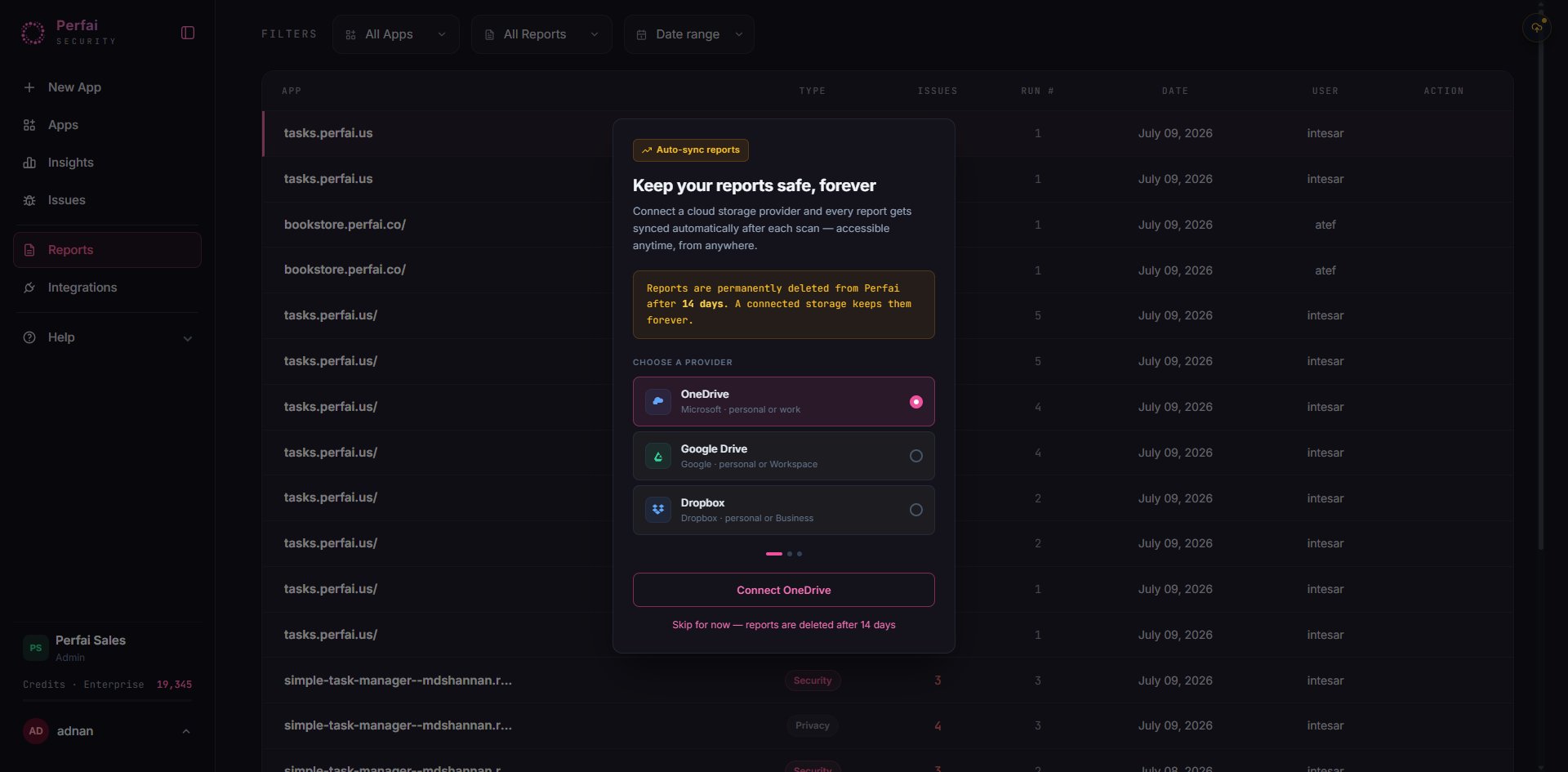 Connect a cloud storage provider and every report gets synced automatically after each scan — accessible anytime, from anywhere.
Reports are permanently deleted from Perfai after **14 days**. Connect a storage provider to keep them forever.
**Connected** — Automatically save security and privacy reports to a designated Drive folder. Share with stakeholders who don't have Perfai access.
**Available** — Sync reports and findings exports to Dropbox for enhanced file management and team collaboration.
**Available** — Save and share reports within your Microsoft 365 environment via OneDrive.
Storage integrations are especially useful for compliance workflows — automatically depositing a fresh security report after every scan means your audit evidence is always up to date and accessible without manual effort.
***
## Issue Tracking
Connect a cloud storage provider and every report gets synced automatically after each scan — accessible anytime, from anywhere.
Reports are permanently deleted from Perfai after **14 days**. Connect a storage provider to keep them forever.
**Connected** — Automatically save security and privacy reports to a designated Drive folder. Share with stakeholders who don't have Perfai access.
**Available** — Sync reports and findings exports to Dropbox for enhanced file management and team collaboration.
**Available** — Save and share reports within your Microsoft 365 environment via OneDrive.
Storage integrations are especially useful for compliance workflows — automatically depositing a fresh security report after every scan means your audit evidence is always up to date and accessible without manual effort.
***
## Issue Tracking
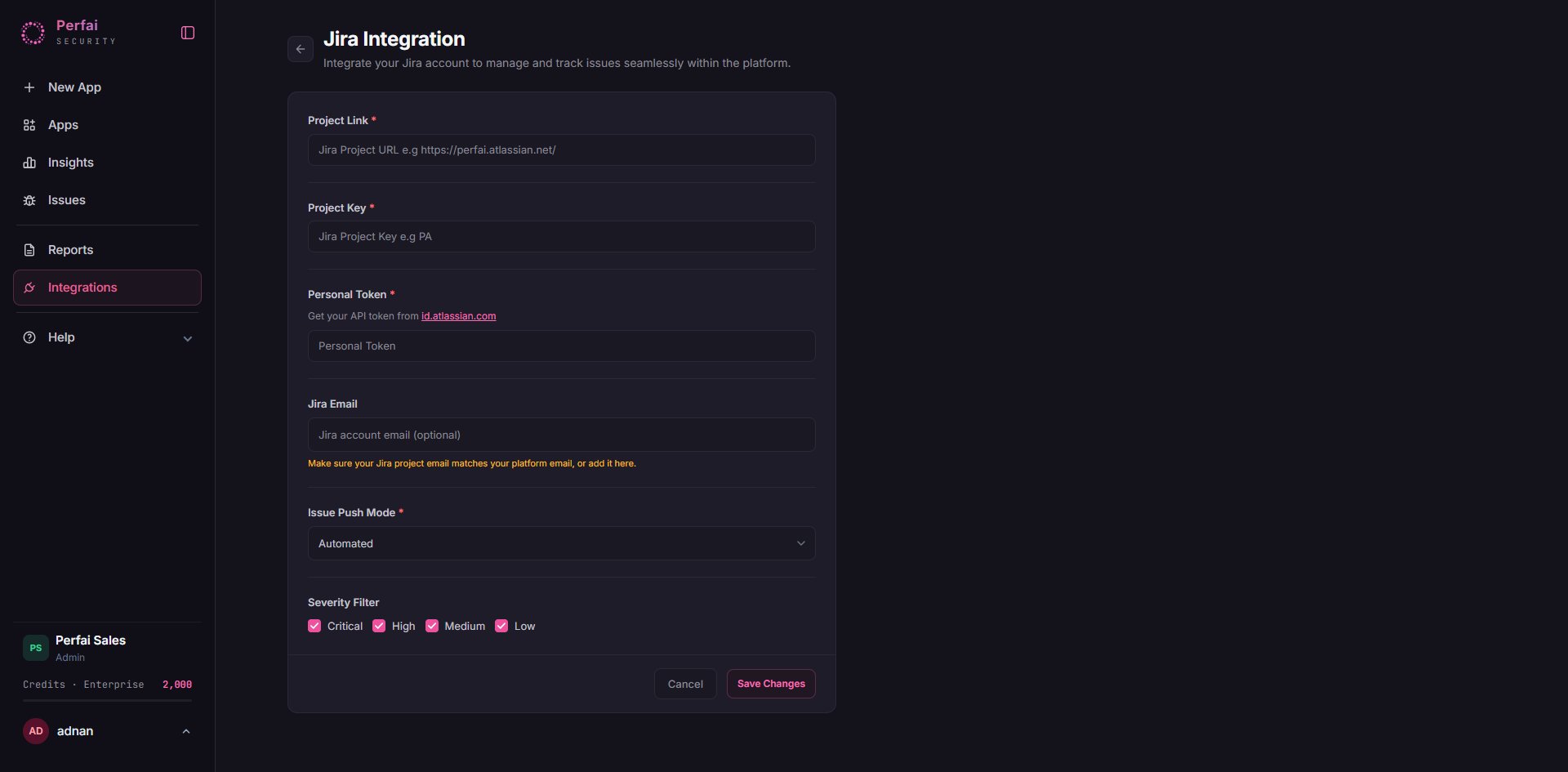 Connect Jira or GitHub Issues and Perfai will **create, update, and close issues automatically** — your board stays accurate without any manual hygiene.
**How it works:**
```
Vuln found → Issue opened → Issue closed
```
* A new vulnerability is found → Perfai opens a ticket automatically
* The developer fixes it → Perfai re-tests on the next scan
* The fix passes → Perfai closes the ticket automatically
**Example live issue preview:**
```
● SQL Injection in GET /users/{id}/profile
auto-created by Perfai [Critical] [High] [Open]
● Rate limit bypass on GET /api/search
auto-closed by Perfai [High] [Fixed] [Closed]
```
**What's included in every ticket:**
* Issues opened on each vuln, with full exploit context
* Auto-closed when retest passes
* Zero manual issue hygiene required
Cloud · Server · Data Center. Best for teams using Jira for sprint planning and backlog management.
Repository · organization. Best for engineering teams whose work lives alongside the codebase.
**Available** — Connect GitHub via the Model Context Protocol for deeper automation alongside your existing tooling.
**Available** — Connect Linear via MCP to manage security issues alongside your product roadmap in Linear.
***
## Why integrations matter
Security tools fail when they create silos. If developers have to log into a separate platform to see security findings, they won't — and vulnerabilities stay open longer.
Perfai's integrations put findings where your team already is:
* A **Slack alert** the moment a Critical finding is confirmed means your team responds in minutes, not days
* A **GitHub Issue** created automatically from a BOLA finding means it's already in the sprint backlog with full reproduction details — no translation needed
* A **Google Drive report** deposited after every scan means your compliance folder is always current without manual exports
The integrations page shows which are **Connected** (active) and which are **Available** (ready to enable). Click any card to connect.
***
## Connecting an integration
Each card shows its current status — **Connected** (green) or **Available** (grey). Click an Available card to begin the connection flow.
Most integrations use OAuth — you'll be redirected to the provider (Slack, GitHub, Google, etc.) to authorize Perfai's access. No API keys to manage manually.
After connecting, configure where Perfai sends data — which Slack channel, which GitHub repo, which Jira project, which Drive folder.
Trigger a manual scan on any app and confirm findings appear in the connected tool. Most integrations push within seconds of a finding being confirmed.
Connect Jira or GitHub Issues and Perfai will **create, update, and close issues automatically** — your board stays accurate without any manual hygiene.
**How it works:**
```
Vuln found → Issue opened → Issue closed
```
* A new vulnerability is found → Perfai opens a ticket automatically
* The developer fixes it → Perfai re-tests on the next scan
* The fix passes → Perfai closes the ticket automatically
**Example live issue preview:**
```
● SQL Injection in GET /users/{id}/profile
auto-created by Perfai [Critical] [High] [Open]
● Rate limit bypass on GET /api/search
auto-closed by Perfai [High] [Fixed] [Closed]
```
**What's included in every ticket:**
* Issues opened on each vuln, with full exploit context
* Auto-closed when retest passes
* Zero manual issue hygiene required
Cloud · Server · Data Center. Best for teams using Jira for sprint planning and backlog management.
Repository · organization. Best for engineering teams whose work lives alongside the codebase.
**Available** — Connect GitHub via the Model Context Protocol for deeper automation alongside your existing tooling.
**Available** — Connect Linear via MCP to manage security issues alongside your product roadmap in Linear.
***
## Why integrations matter
Security tools fail when they create silos. If developers have to log into a separate platform to see security findings, they won't — and vulnerabilities stay open longer.
Perfai's integrations put findings where your team already is:
* A **Slack alert** the moment a Critical finding is confirmed means your team responds in minutes, not days
* A **GitHub Issue** created automatically from a BOLA finding means it's already in the sprint backlog with full reproduction details — no translation needed
* A **Google Drive report** deposited after every scan means your compliance folder is always current without manual exports
The integrations page shows which are **Connected** (active) and which are **Available** (ready to enable). Click any card to connect.
***
## Connecting an integration
Each card shows its current status — **Connected** (green) or **Available** (grey). Click an Available card to begin the connection flow.
Most integrations use OAuth — you'll be redirected to the provider (Slack, GitHub, Google, etc.) to authorize Perfai's access. No API keys to manage manually.
After connecting, configure where Perfai sends data — which Slack channel, which GitHub repo, which Jira project, which Drive folder.
Trigger a manual scan on any app and confirm findings appear in the connected tool. Most integrations push within seconds of a finding being confirmed.