

Overview
A private agent deployment splits Perfai into two planes:- Execution plane — the agents and browsers that drive and scan your applications. These run in your cluster.
- Control plane — the console, platform, and your results. These stay hosted by Perfai.
Vision Agent
Live + background — drives browsers to explore and map your apps.
Vision Browser
Live + background — the headless Chromium pods the agents control.
Vision Manager
Brokers browser sessions within your cluster.
Security Agent
Runs the security scans.
Who it’s for
A private agent deployment is the right fit when you need scanning to run inside your own environment. Common cases:- Enterprise applications that must stay on-premise — the agents and all scanning traffic run in your infrastructure, not Perfai’s.
- Multi-tenant applications with regional needs — run a deployment per region so scanning happens close to each region’s data.
- Data-residency and compliance requirements — keep application data within your network (pair with the in-cluster model, below, so nothing leaves).
- Large-scale programs — teams onboarding 10 or more applications at once get dedicated, independently-scaled in-cluster capacity.
- Local model / LLM integration — run the AI model inside your own cluster for full residency, or use Perfai’s managed model with no GPU.
Architecture
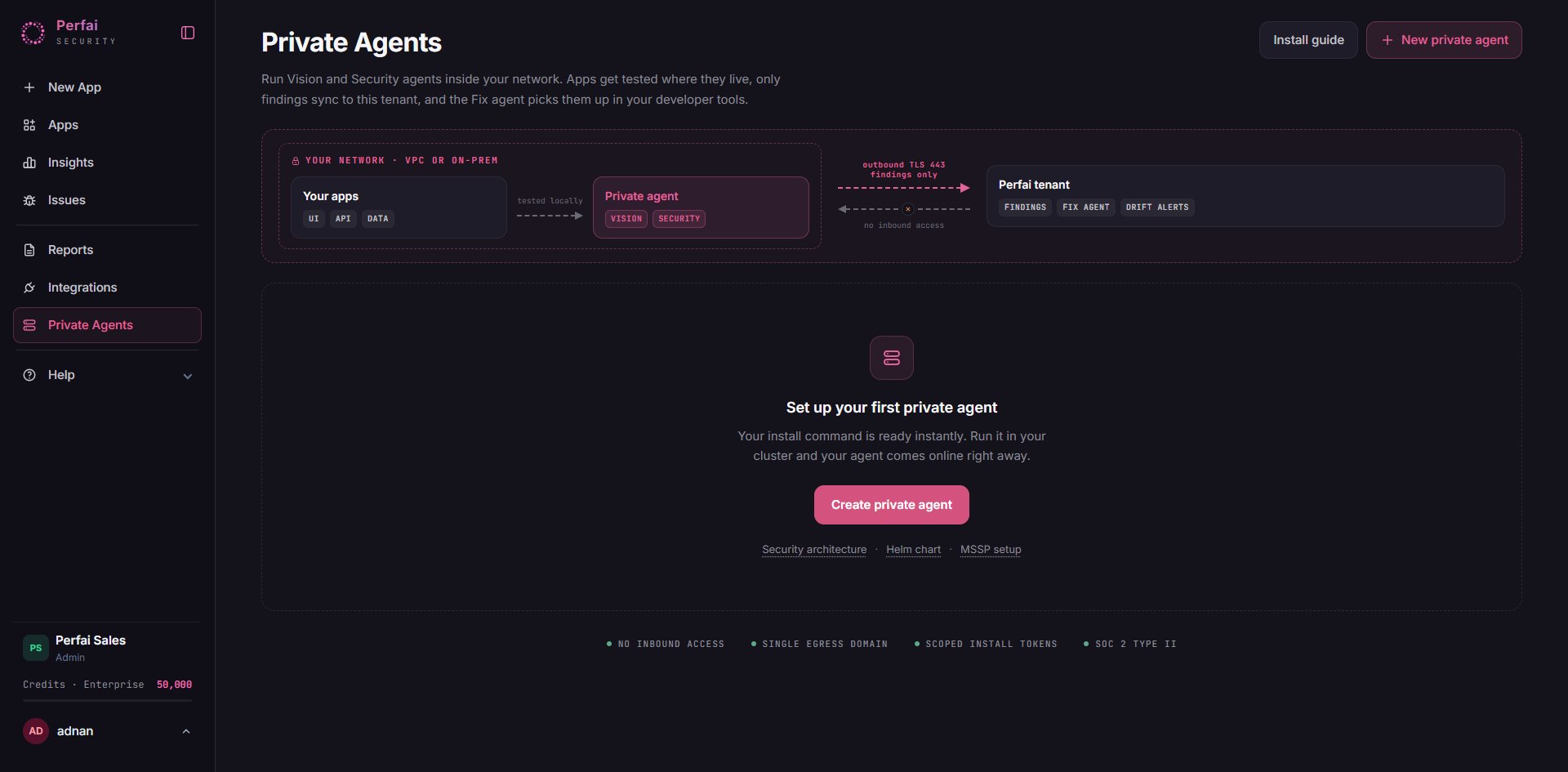
Every connection is initiated from your cluster outward to Perfai over TLS. Task instructions and results flow over that link; scanning traffic to your applications stays entirely local to your cluster.The only network requirement is outbound HTTPS/WSS to
*.perfai.ai on port 443 — this includes AI inference, which is routed through Perfai rather than any third-party endpoint. There is no ingress, no load balancer, and no exposed service for this deployment.Prerequisites
Cluster
Cluster
- Kubernetes v1.24 or later with functional cluster DNS.
- Install-time access that can create a namespace and namespaced RBAC (role, service account, role binding). Standard cluster-admin at install time is sufficient — the installer creates everything; you don’t hand-craft any RBAC.
- Storage is handled automatically — there’s nothing to provision.
Network
Network
- Outbound HTTPS/WSS to
*.perfai.aion443. - No inbound ports. Your cluster’s inbound firewall can stay fully closed.
- Outbound access to pull container images from
ghcr.io/perfai-inc(or request a mirrored bundle for air-gapped clusters).
Tooling
Tooling
kubectlandhelmon the workstation running the install, with access to the target cluster context.
Before you start — checklist
Confirm each item before creating a deployment:- Kubernetes v1.24+ cluster with working DNS, and a context your
kubectl/helmcan reach. - Permission to create a namespace and namespaced RBAC at install time.
- Outbound HTTPS to
*.perfai.ai:443is allowed (no inbound needed). - Outbound access to
ghcr.io/perfai-incfor images (or a mirrored bundle arranged for air-gapped clusters). - Enough cluster capacity for your chosen concurrency (see Cluster sizing).
- Decided where the AI model runs — Perfai-managed (no GPU) or in your own cluster (needs GPU).
Cluster sizing
Size the cluster by how many applications you want to onboard at the same time. Each concurrent onboarding runs one interactive browser plus a small pool of background browsers, following a strict 1:1 agent-to-browser rule.Bare minimum — 4 vCPU · 8 GB memory. Enough to stand the cluster up and run a single onboarding serially (no parallelism).
Scaling is linear — roughly 4 vCPU and 16 GiB per additional concurrent app. When you create a deployment in the console, it computes and shows the exact requirement for the concurrency you choose.
Security & data residency
- Outbound-only. No inbound path into your network exists in this design.
- Per-deployment credential. Each deployment gets its own credential, scoped so it can only reach your tenant’s own data — enforced at the infrastructure layer, not just in application code.
- Hardened pods. All components run non-root, with a read-only root filesystem and all Linux capabilities dropped. No privileged containers, no host access.
- TLS everywhere on the link to Perfai.
Where the AI model runs
Perfai’s agents use an AI model to interpret and navigate your applications. You choose where it runs when you create the deployment:- Perfai-managed model (default)
- Model in your cluster
The agents call a Perfai-managed model endpoint over the same outbound link to
*.perfai.ai — no third-party AI provider is ever contacted from, or exposed to, your network. Simple; no GPU required.Page content the agent reasons over is processed by Perfai (acting as your data processor) and does leave your environment.Set up a deployment
Deployments are created and managed from the Perfai console; installation into your cluster is a single Helm command.1
Create a deployment in the console
Open your tenant → Private Agents → New private agent. Set how many apps you want to onboard concurrently and where the AI model runs. The console shows the cluster size required and generates the values for this deployment.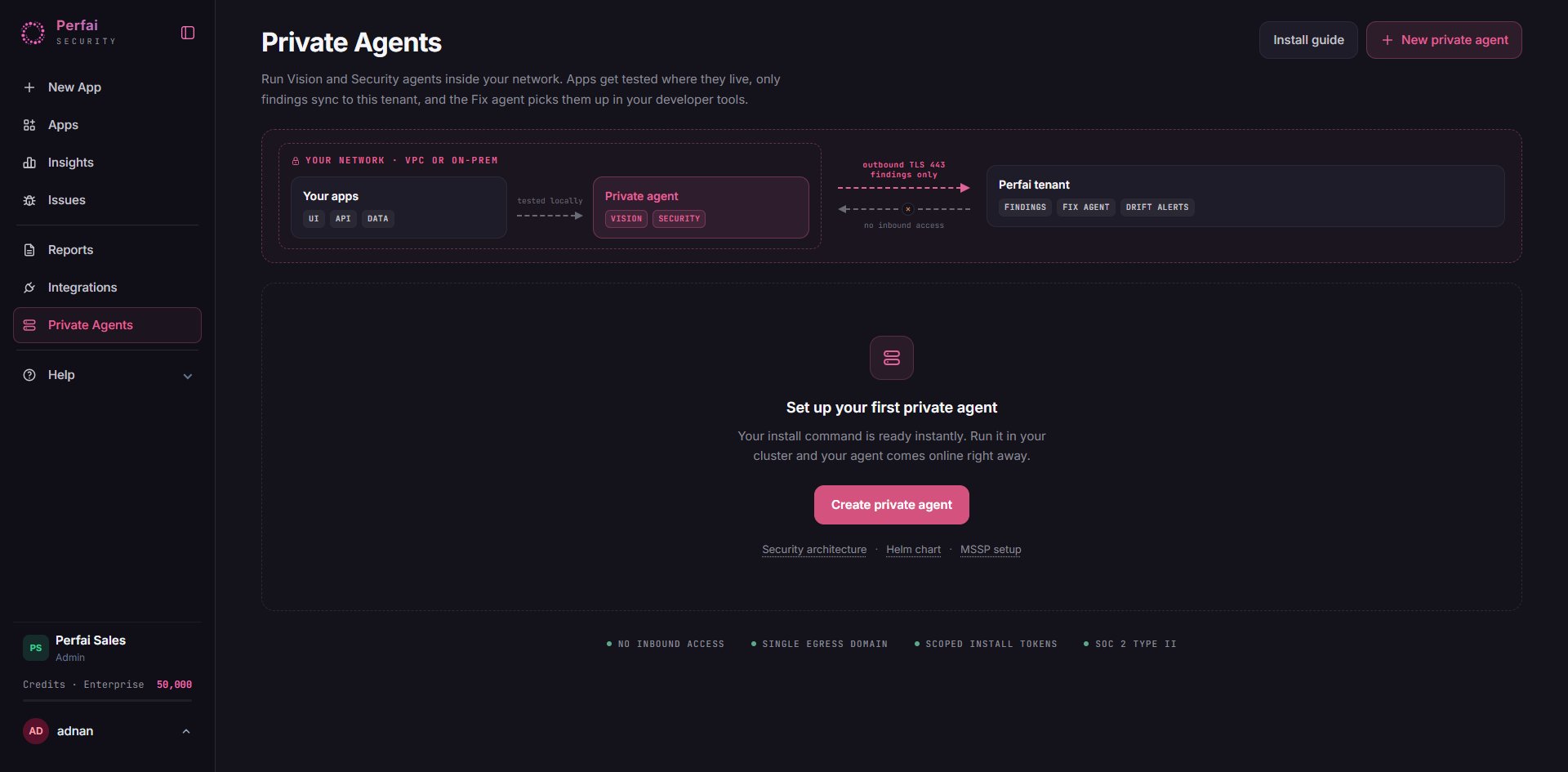
2
Download the values file
It is pre-filled with this deployment’s identity, sizing, and a one-time connect secret.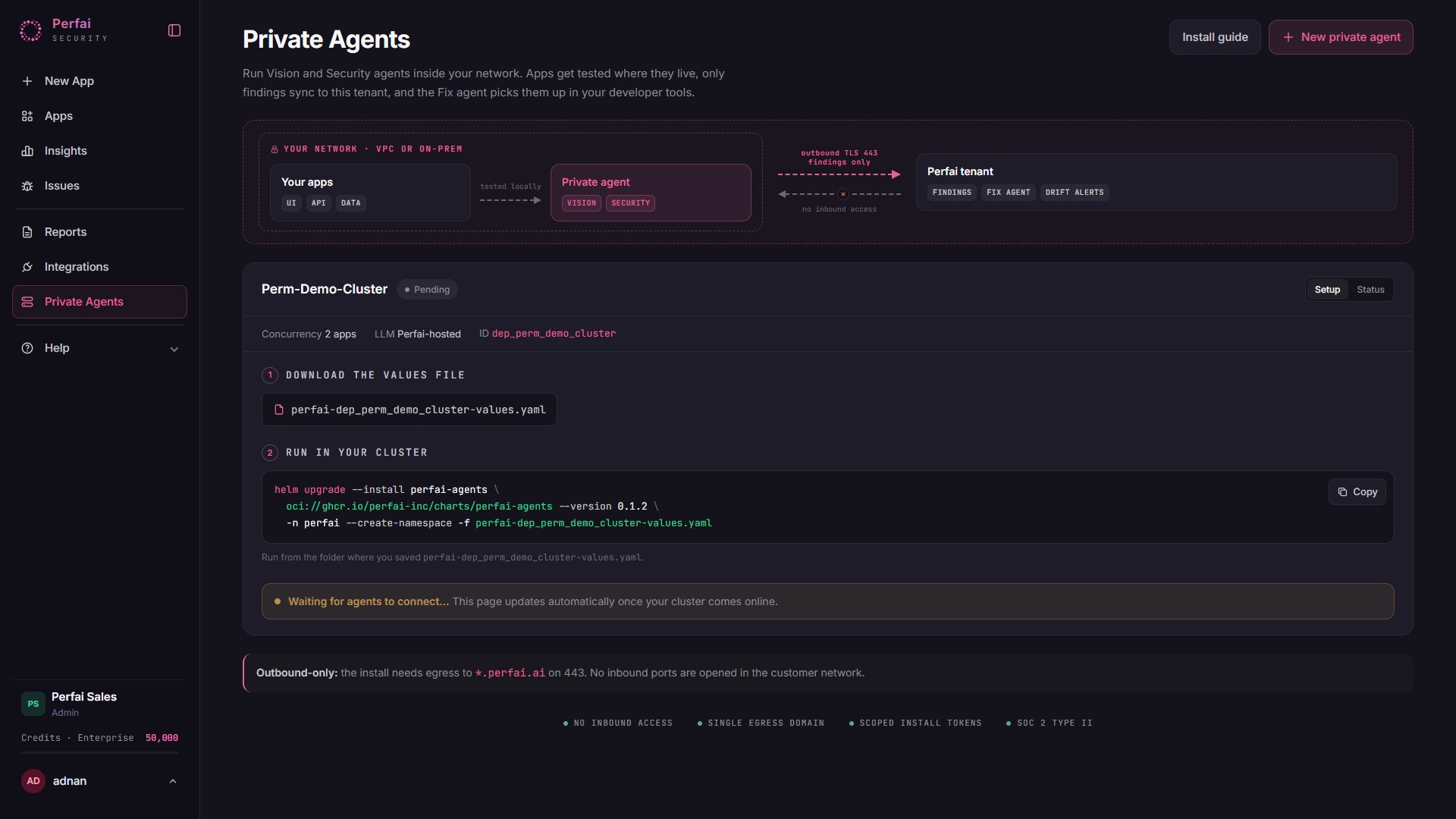
3
Install into your cluster
Run the generated command against your cluster context:
4
Wait for the agents to connect
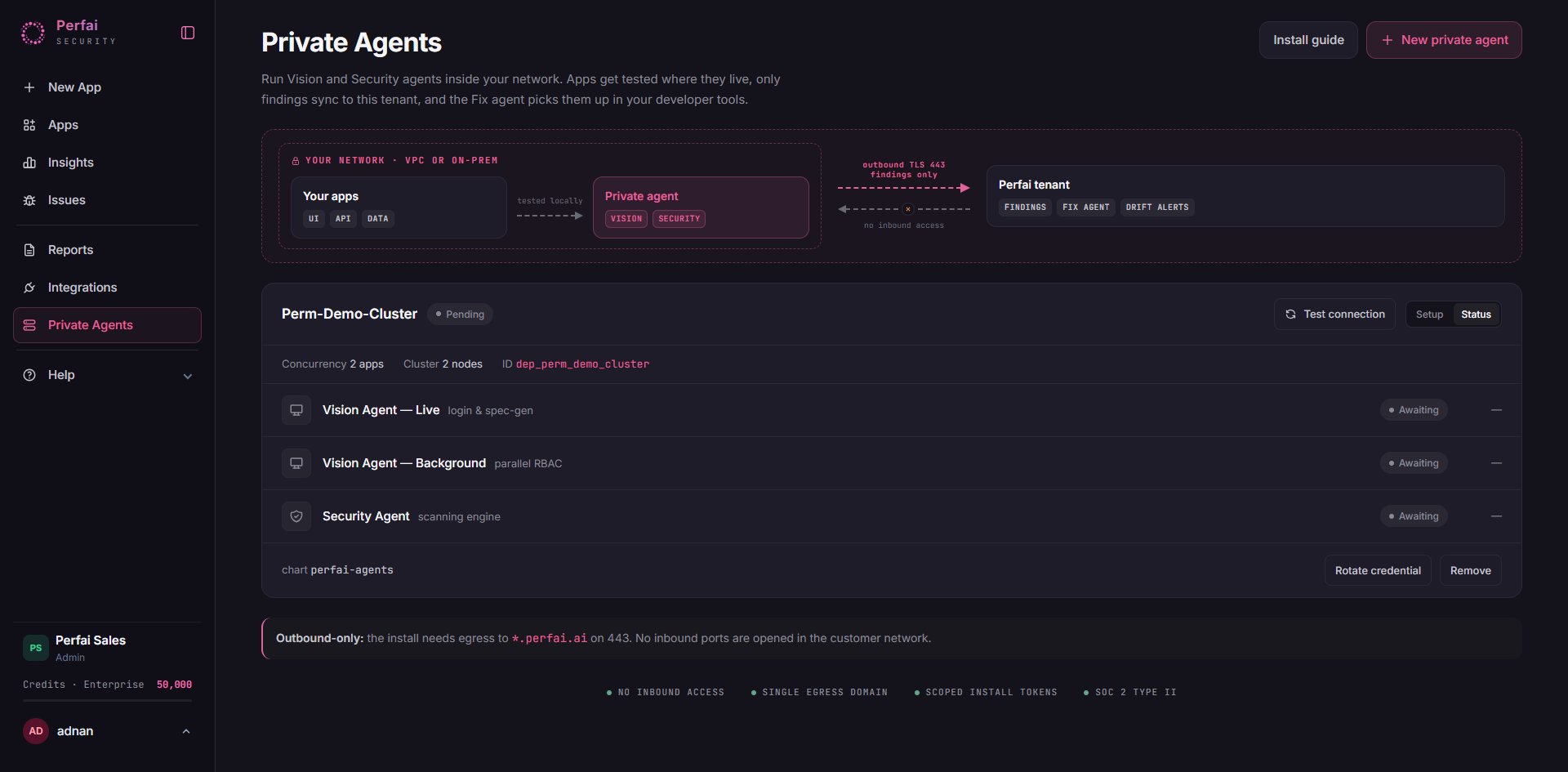
The pods start and connect outbound to your tenant. The deployment moves from Pending to Connected automatically in the console.
Verify and route
Confirm the agents are healthy in the console — the deployment shows a per-agent status (Vision live, Vision background, Security) with a live “last seen” heartbeat. You can also check in-cluster:Running / Ready. Use Test connection in the console for an on-demand health check.
Credential rotation
Each deployment has its own credentials — a connect secret the agents authenticate with and an AI-gateway key for model access. Rotate them on a regular schedule (quarterly is a good default) or immediately if a values file may have been exposed.1
Generate new credentials
In the console, open the deployment and click Rotate credential. Perfai mints a fresh connect secret and a fresh AI-gateway key for this deployment, then downloads a new values file.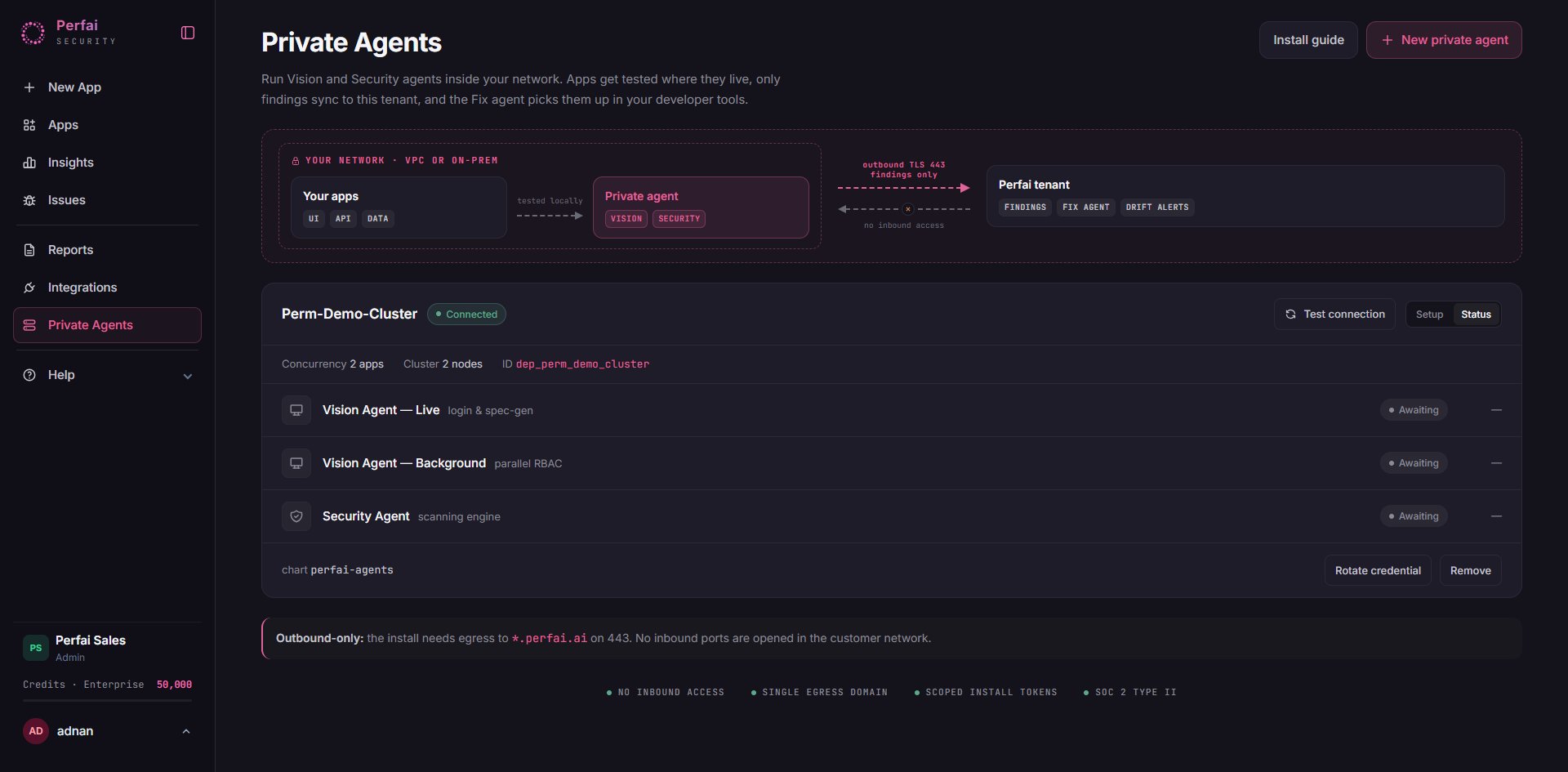
2
Update your configuration
Re-run the install with the new values file — a rolling, zero-downtime update:
3
Validate access
Use Test connection in the console and confirm the deployment returns to Connected with every agent reporting.
4
Retire the old credential
The previous secret keeps working for a short grace window so in-flight scans finish, then stops accepting new connections automatically. Once the deployment is back to Connected, delete the old values file from wherever you stored it.
This rotates keys, not just a password — both the connect secret and the AI-gateway key are replaced. Impact on running work: the update is zero-downtime and the old credential stays valid during the grace window, so scans in progress are never interrupted.
helm uninstall perfai-agents -n perfai) — that invalidates its connect secret and gateway key immediately.
Operating
- Scale concurrency — increase the concurrency on the deployment; the console issues an updated command to add matched agent/browser capacity.
- Add more environments — create additional deployments for other clusters or environments; each is independent.
- Rotate credentials — see Credential rotation above.
-
Uninstall:
Upgrades
New agent releases are surfaced in the console, and you apply them on your own schedule — because the deployment is outbound-only, Perfai never pushes an upgrade into your cluster.1
See when an upgrade is available
The Status tab shows your running agent versions. When a newer release is available, the console shows an Upgrade available notice with the exact command.
2
Apply the upgrade
Run the
helm upgrade against your cluster. It is a rolling, zero-downtime update — in-flight scans finish before a pod restarts:Older agents keep working while you upgrade — the Perfai control plane stays backward-compatible, so there is no forced upgrade window. To roll back, run
helm rollback perfai-agents.Troubleshooting
The deployment stays 'Pending' in the console
The deployment stays 'Pending' in the console
The pods haven’t completed their outbound connection yet. Check that the pods are running (
kubectl get pods -n perfai) and that outbound HTTPS to *.perfai.ai:443 is allowed from the cluster. Once the pods are Ready, click Test connection to re-run the health check.Pods are stuck 'ImagePullBackOff' or 'ErrImagePull'
Pods are stuck 'ImagePullBackOff' or 'ErrImagePull'
The cluster can’t pull the agent images. Confirm outbound access to
ghcr.io/perfai-inc and that you installed with the latest values file from the console (an older or hand-edited file can carry stale image-pull credentials). Re-download the values file and re-run helm upgrade.An agent shows 'Awaiting' and never connects
An agent shows 'Awaiting' and never connects
The agent pod is up but hasn’t checked in. Verify the values file matches this deployment (each deployment has its own identity), that outbound
:443 is open, and use Test connection to re-probe. If it persists, kubectl logs the agent pod for connection or authentication errors.A pod is 'Pending' with insufficient CPU/memory
A pod is 'Pending' with insufficient CPU/memory
The cluster doesn’t have room for the chosen concurrency. Add node capacity to match the Cluster sizing table, or lower the concurrency on the deployment and re-apply.
Scans don't run on my in-cluster agents
Scans don't run on my in-cluster agents
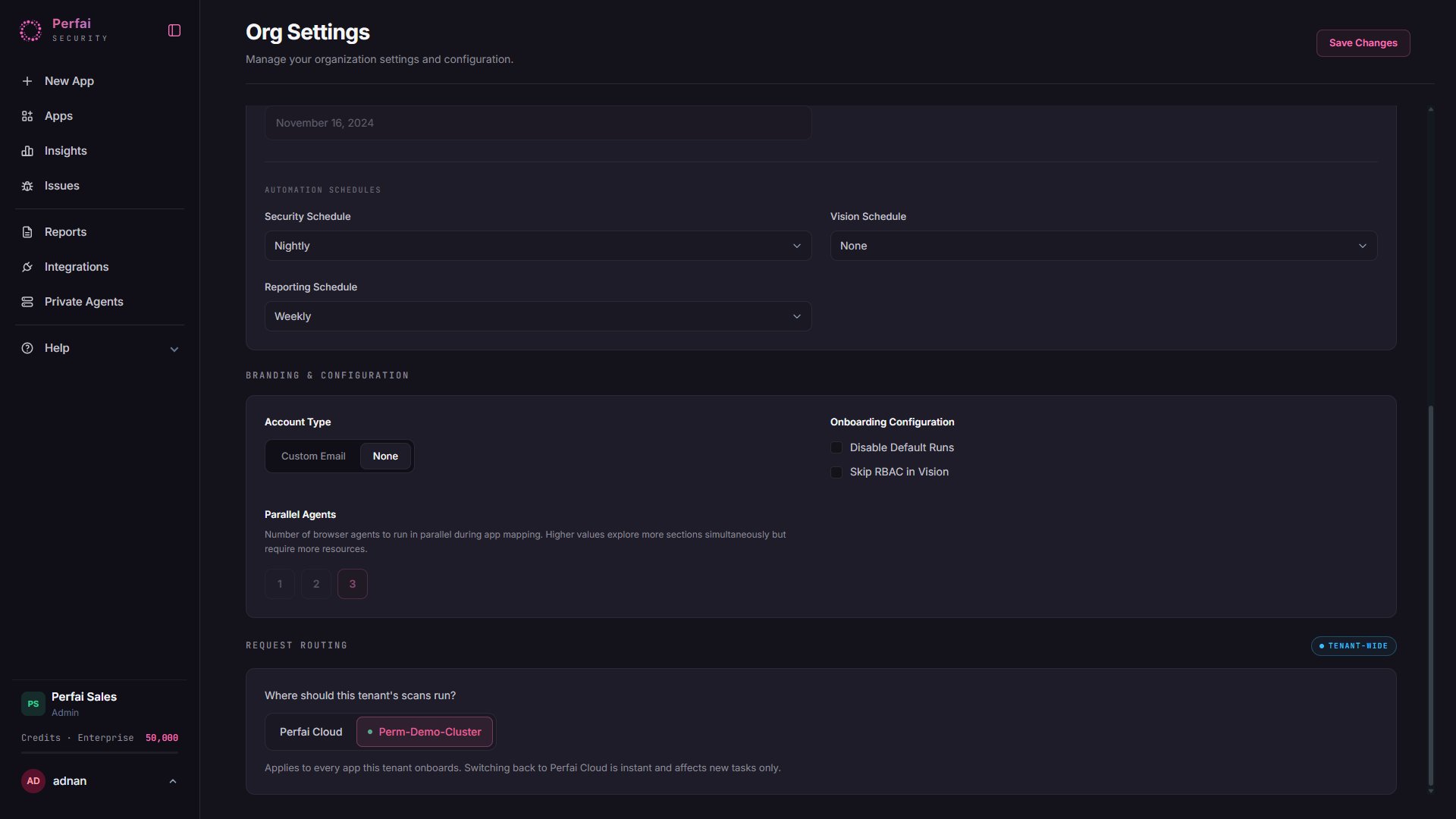
Routing may still point at Perfai Cloud. Open Org Settings → Request Routing and confirm the tenant is pointed at your deployment. Routing changes affect new scans only.
FAQ
Does our application data leave our network?
Does our application data leave our network?
Scanning traffic to your applications stays entirely in your cluster. Whether page content leaves your environment depends only on the AI-model choice: with the in-cluster model, nothing leaves; with the Perfai-managed model, content the agent reasons over is sent to Perfai’s managed model endpoint over the same
*.perfai.ai outbound link — never to a third-party provider directly.Do we need to open any inbound ports?
Do we need to open any inbound ports?
No. The deployment requires outbound access only. Your inbound firewall can remain fully closed.
Do we need GPUs?
Do we need GPUs?
Only if you self-host the AI model. The default managed model needs no GPU.
Can we deploy to multiple clusters or regions?
Can we deploy to multiple clusters or regions?
Yes. Create a separate deployment per cluster/environment; each connects independently to the same tenant.
What happens if the outbound link drops?
What happens if the outbound link drops?
Work pauses and resumes automatically when connectivity returns — the design is resilient to transient interruptions. No results are lost.