

All you need is a URL
No code access. No configuration. No browser plugins. Paste your app URL and Perfai’s agents handle everything — account creation, role discovery, app mapping, and security testing — completely on their own.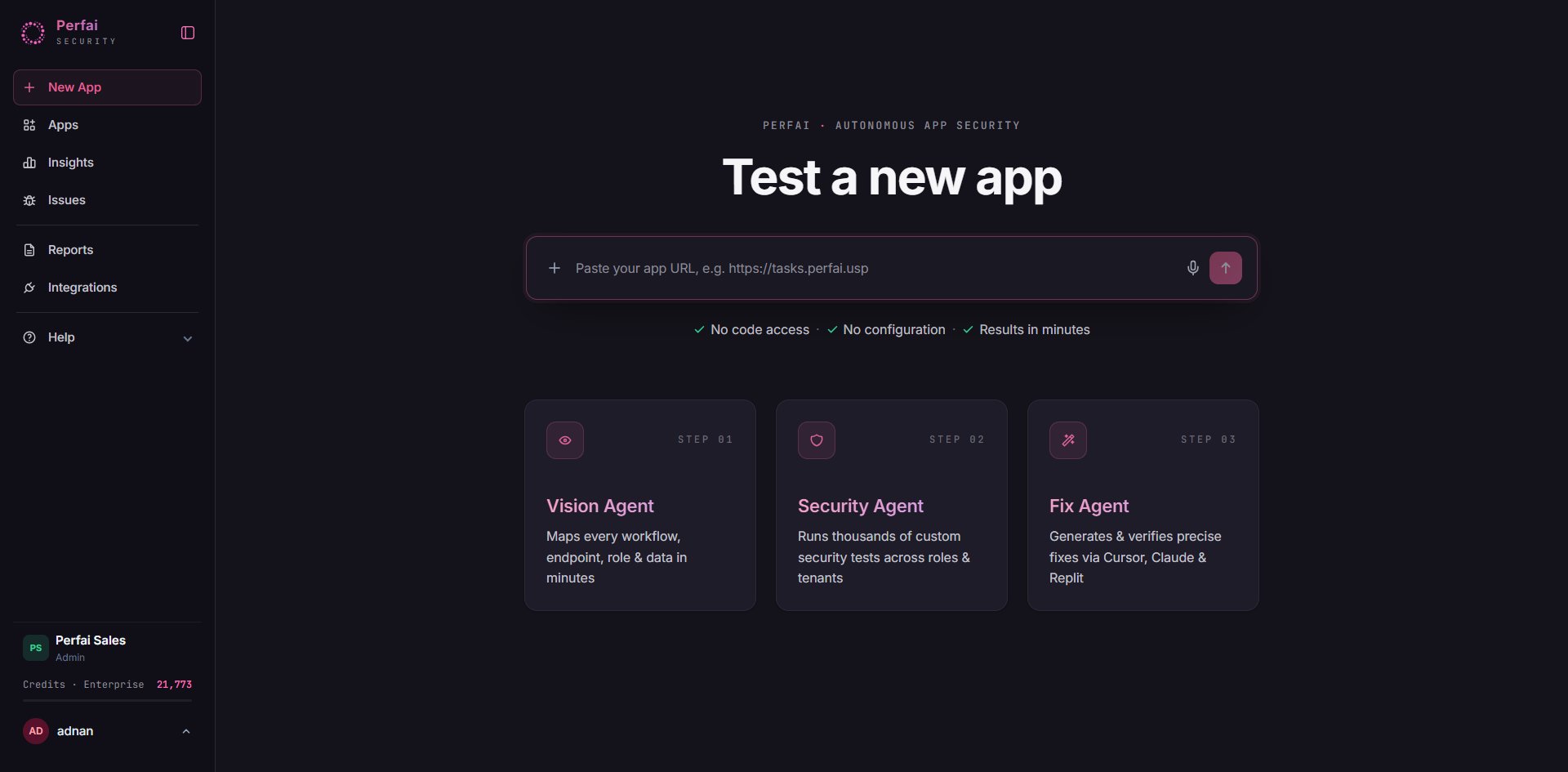
01 — Vision Agent
Maps every workflow, API, role & data in minutes.
02 — Security Agent
Runs thousands of custom security tests across roles & tenants.
03 — Fix Agent
Generates & verifies precise fixes via Cursor, Claude & Replit.
What happens step by step
1
Confirm and start
After you paste your URL, Perfai shows a New app setup confirmation with the four tasks it will run automatically: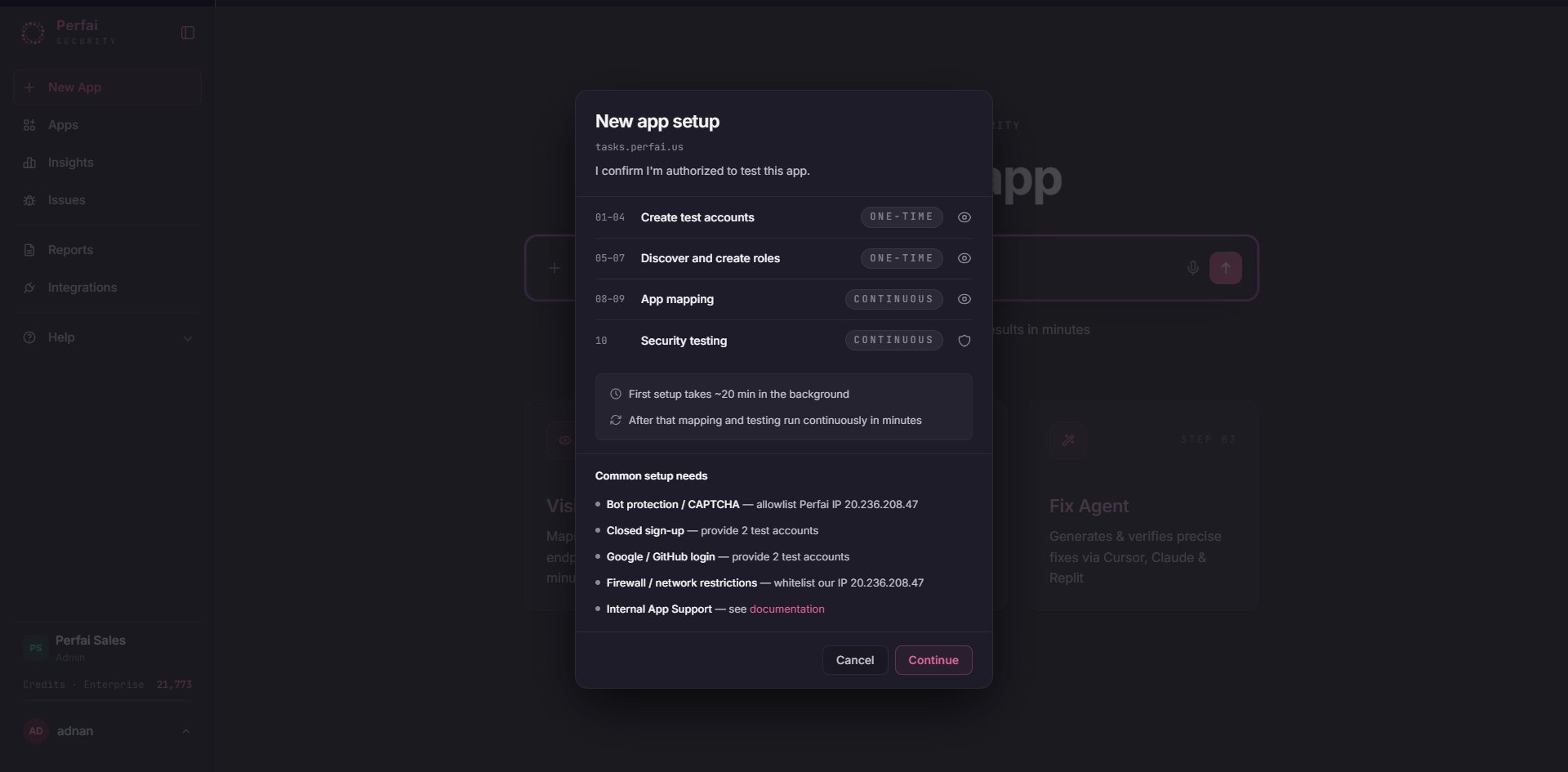
Click Continue. You don’t need to configure anything else.
One-time tasks run once to bootstrap your test environment. Continuous tasks re-run automatically on every future scheduled scan as your app evolves.
2
Vision Agent builds the task graph
The Vision tab opens showing the full agent execution plan. Each node in the graph is a task the Vision Agent will complete — in order — before handing off to the Security Agent.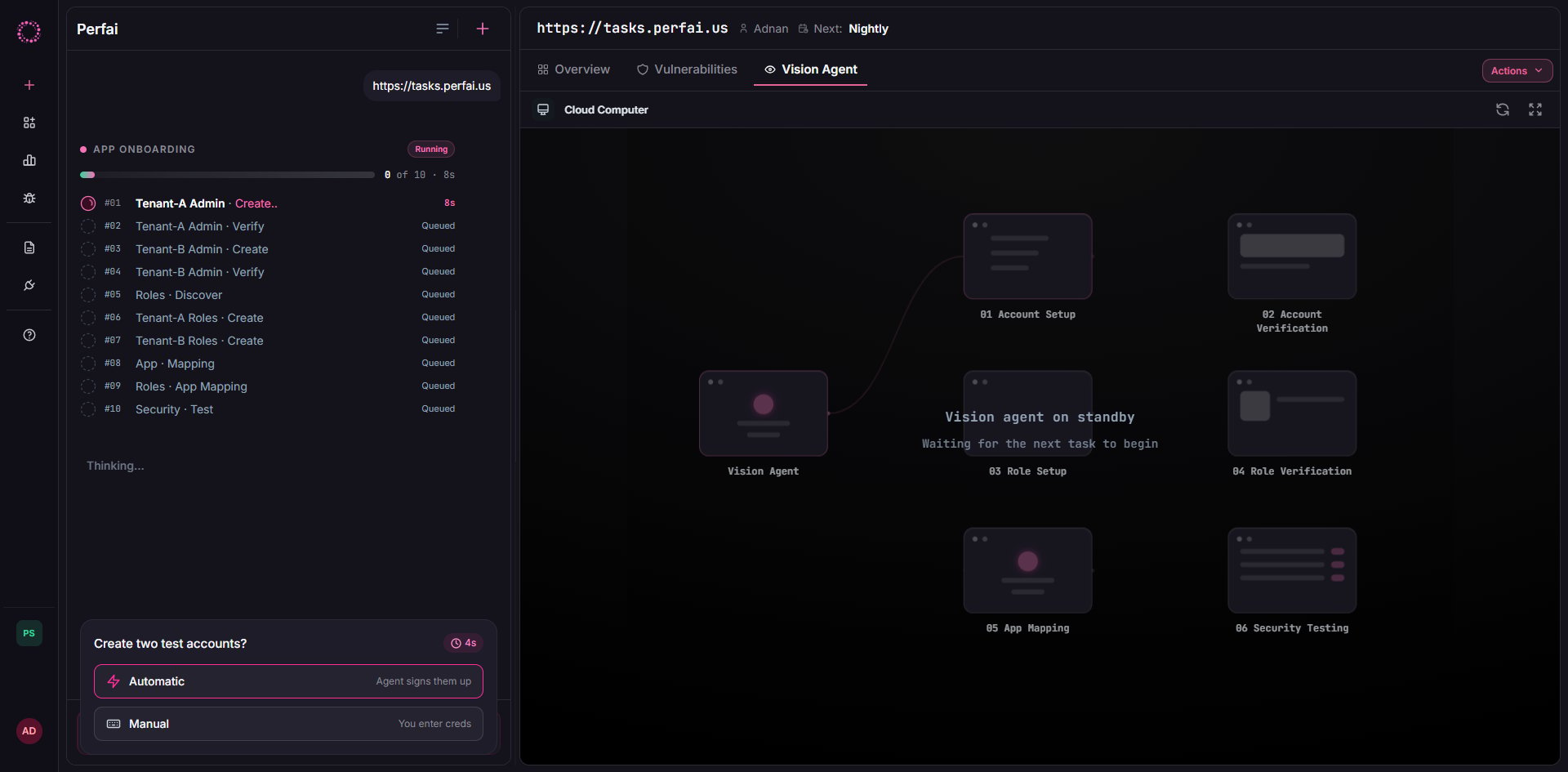
3
Vision Agent maps your entire application
With test accounts created and roles confirmed, the Vision Agent takes control of a cloud browser and explores your entire app — clicking through every screen, submitting forms, and recording every API call made along the way.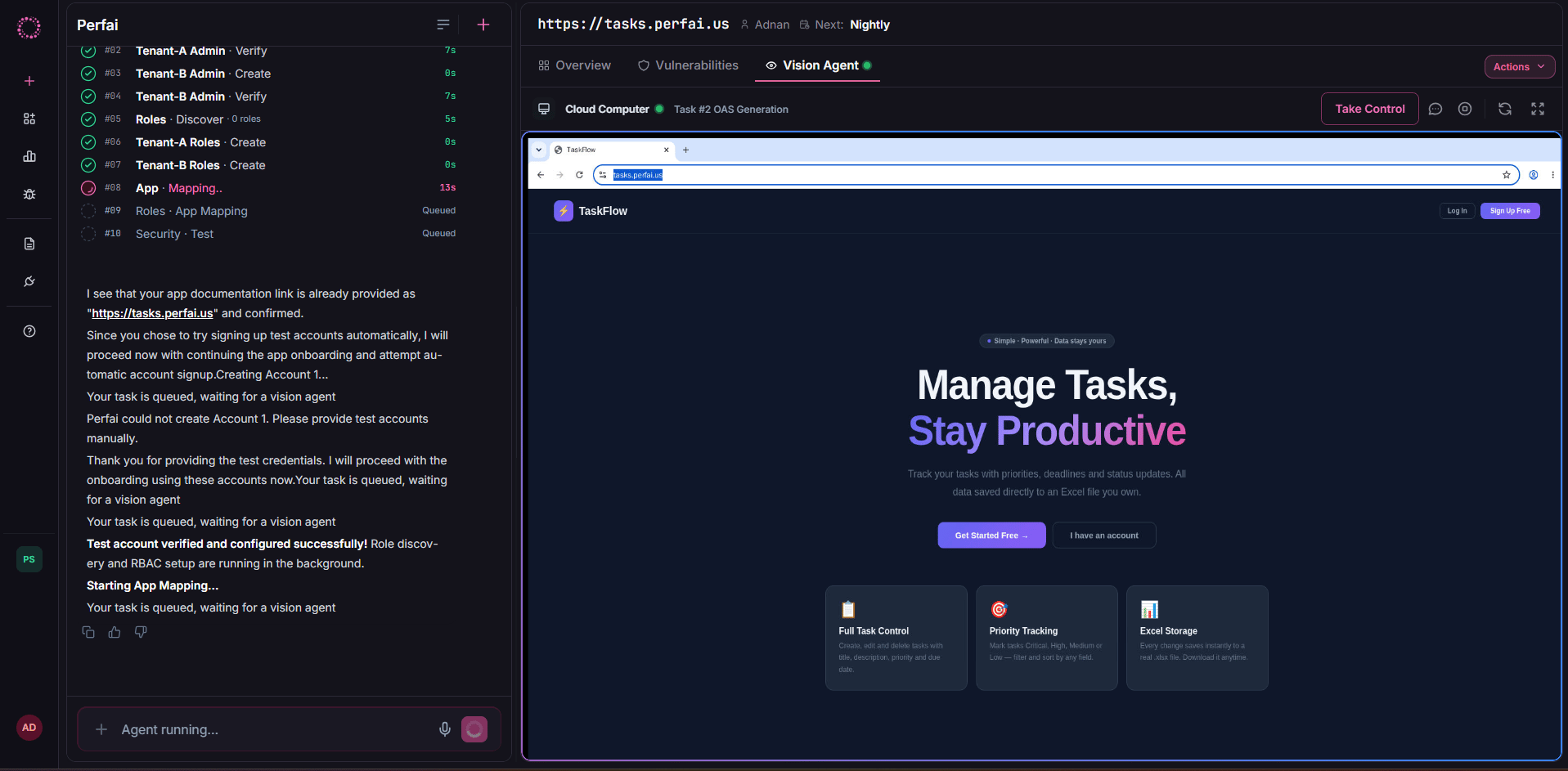
4
Security Agent runs and results appear
When mapping completes, the Security Agent immediately begins running permission tests across all discovered endpoints. No trigger needed.When done, switch to the Overview tab to see your full results: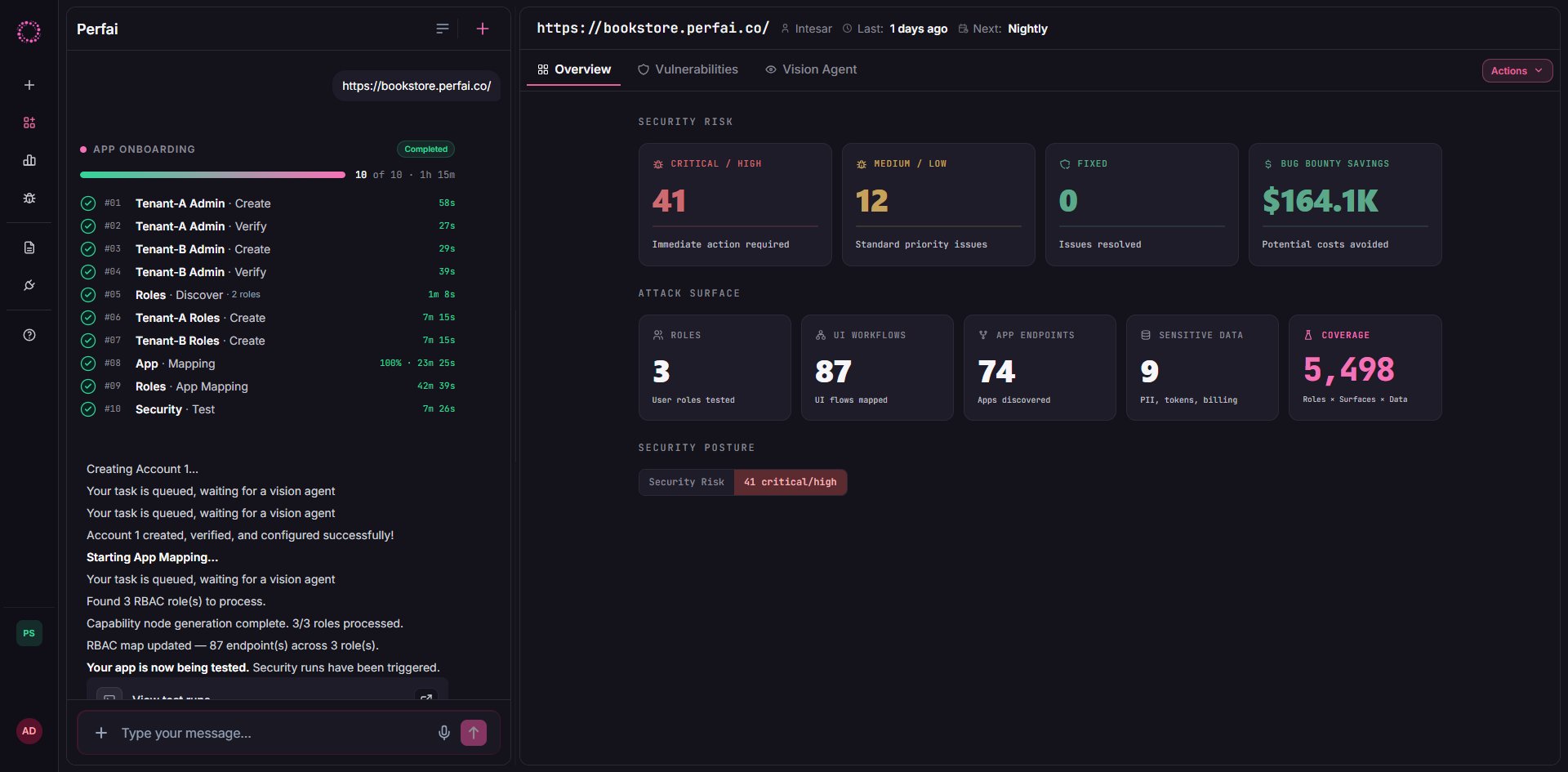
Attack Surface shows what was covered:
The Endpoints row counts what your app is made of. For a website it counts pages, with each page template counted once. For a GraphQL app it counts operations. An app with both endpoints and pages shows both, for example
8 endpoints · 2 pages.Click any finding to see the affected endpoint, attacking role, expected vs. actual response, and a reproduction step you can run immediately. Click Actions → Generate Reports to export your full security report.5
Drill into the Security tab for detailed findings
Switch from Overview to the Security tab for the full issues list — every confirmed vulnerability for this specific app, sorted by severity.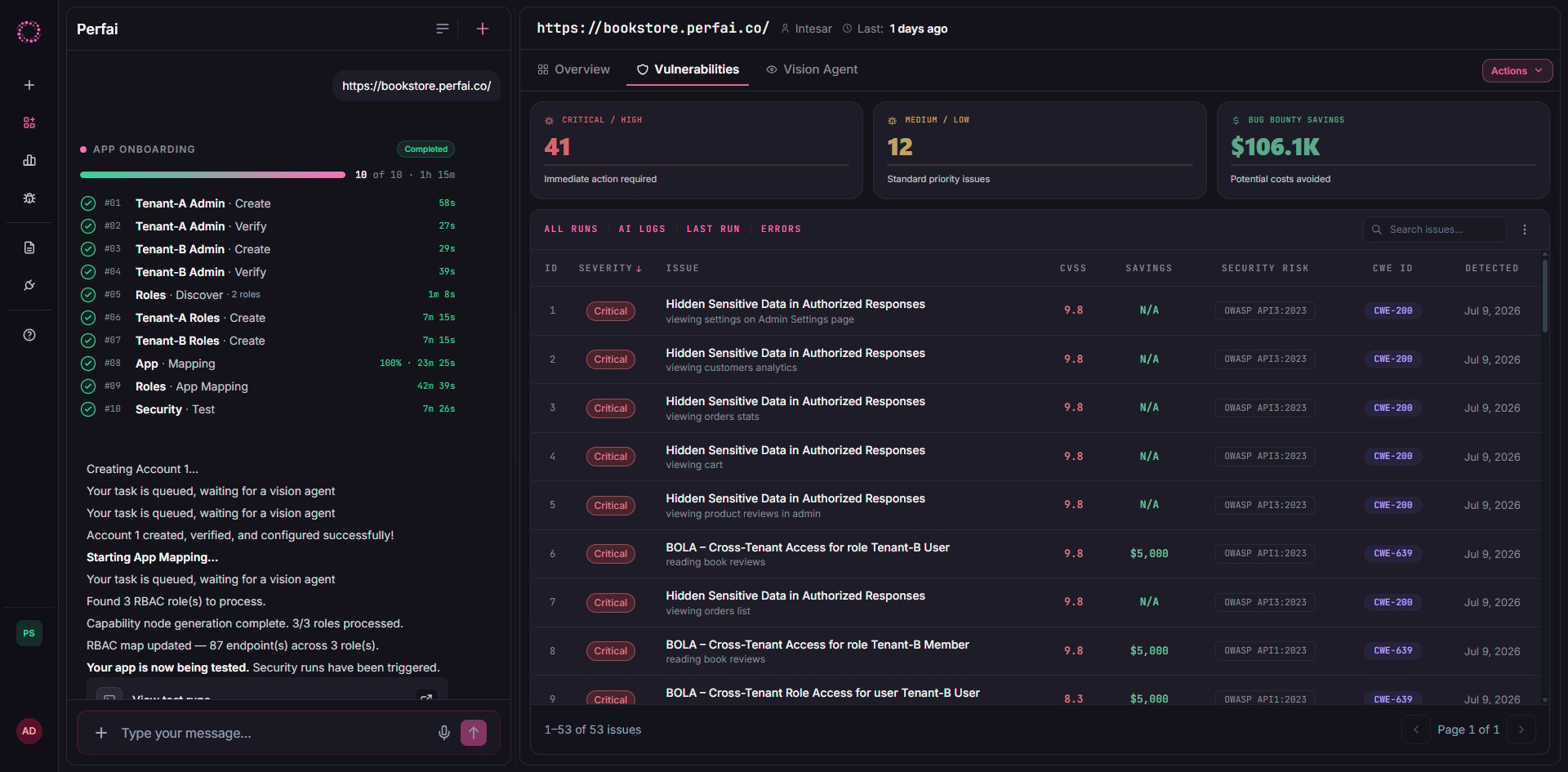
The issues table shows 66 total findings with full detail per row:
Use the All Runs / Coverage / AI Logs / Last Run / Errors tabs to dig deeper into test coverage, the agent’s reasoning, and any test execution errors.
The Security tab is scoped to one app. The global Issues page aggregates findings across your entire portfolio — useful for org-wide risk reviews and compliance reporting.
Runs automatically from here
Once registered, Perfai keeps testing your app on a continuous schedule — visible at the top of every app dashboard (Next: Nightly). No manual trigger needed.
Next steps
Core Concepts
Understand how Perfai models apps, workflows, roles, and issues.
Understanding Issues
Learn how findings are classified, prioritized, and tracked to resolution.