

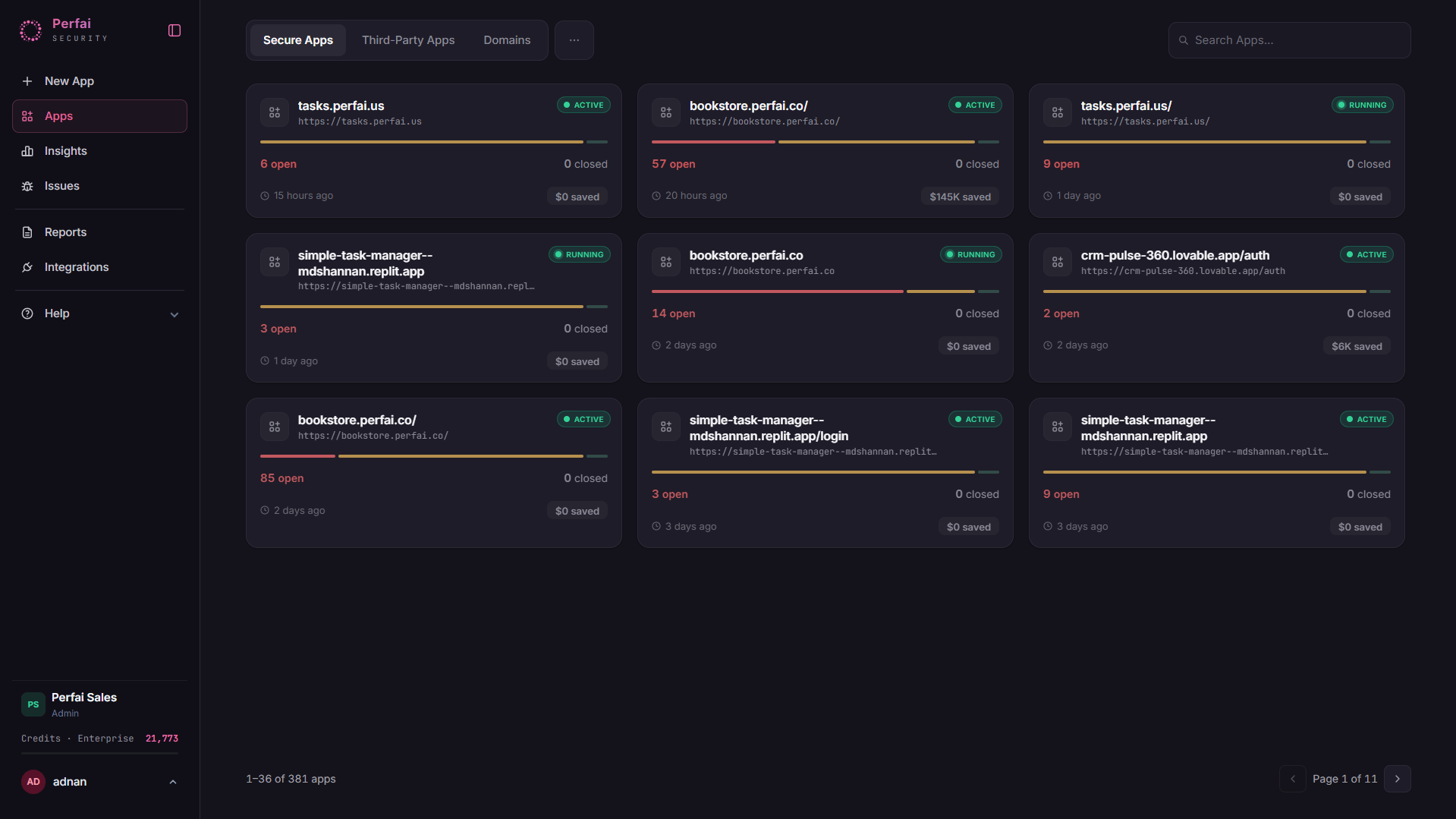
What is the Apps page?
The Apps page gives you a bird’s-eye view of every application Perfai is testing. Each app card shows its current security status, when it was last scanned, how many issues were found, and how much in potential bug bounty costs have been avoided. From here you can launch new scans, open individual app dashboards, and track progress across your entire portfolio in one place.Adding your first app
Click + New App in the left sidebar or the button at the top right. Paste your app’s URL into the input field — that’s all you need.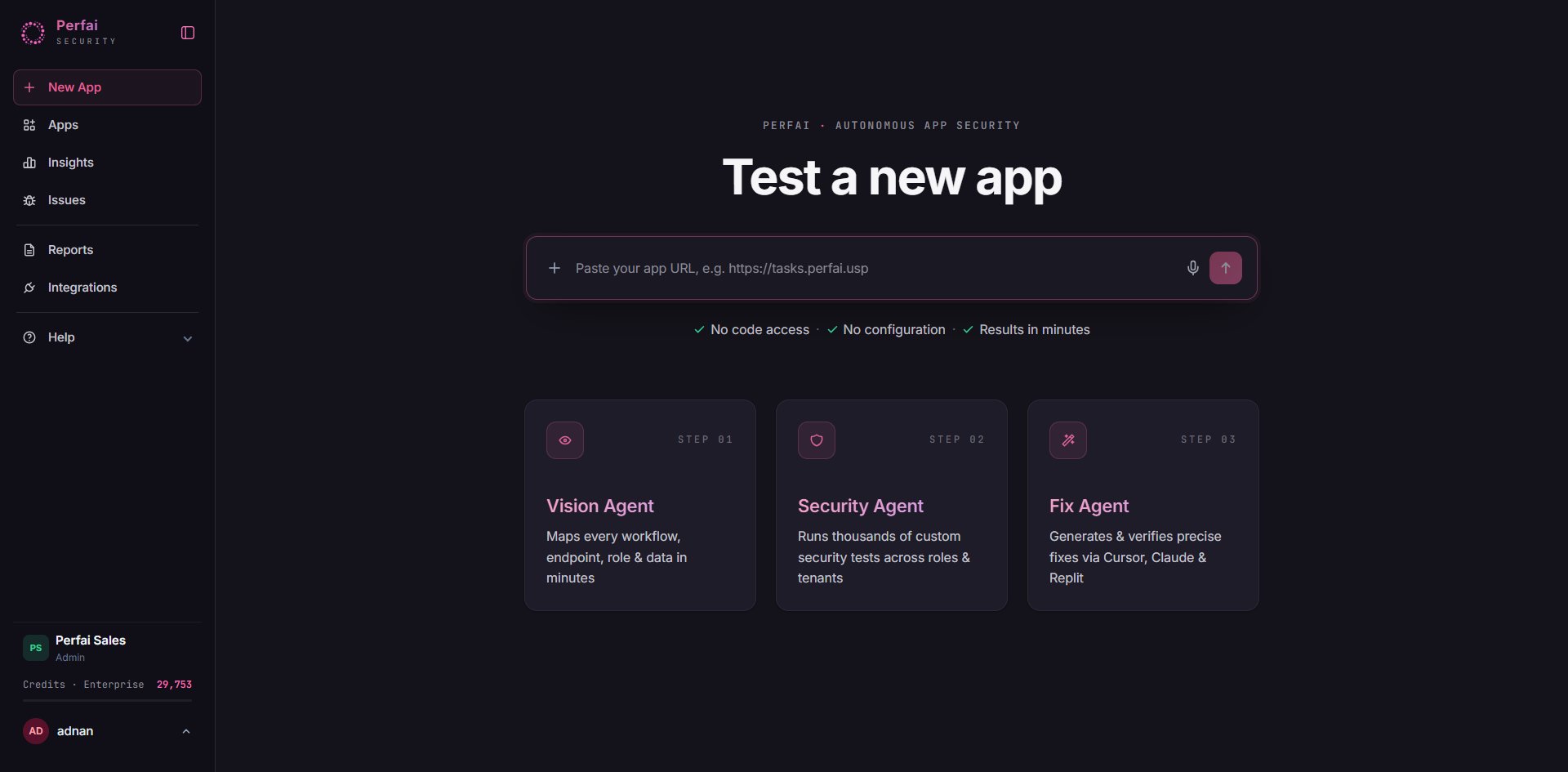
App cards
Each card in the grid shows everything you need to assess an app’s status at a glance:
Cards with a spinner indicator are currently running a scan.
App tabs
The Apps page has three tabs. Each one can hold any kind of application Perfai scans: a REST app, a website, a GraphQL app, or a hybrid that has both endpoints and pages. See What Perfai scans for how each one is counted.Secure Apps
Your own applications — the primary focus of security testing. Perfai maps these end-to-end and runs full permission testing.
Third-Party Apps
External or vendor applications your team depends on. Perfai can test these too — important for supply chain security.
Domains
Domain-level tracking. Useful for organizations managing multiple subdomains or environments under a single parent domain.
Why this matters
The Apps page answers the question your security team and engineering leaders ask most: “What’s our actual exposure right now?”- See at a glance which apps are clean, which are actively being scanned, and which have unresolved critical issues
- Track the dollar value of vulnerabilities found before attackers or bug bounty hunters did
- Identify apps that haven’t been scanned recently and may have drifted out of coverage
Opening an app
Click any app card to open its full dashboard, which includes:- Overview — security risk summary, attack surface coverage, and savings
- Security — detailed issue list with filters by severity and type
- Vision — live agent stream and task graph showing what’s being mapped