

Overview
Many enterprise and B2B apps don’t have a public registration page. Accounts are provisioned by an admin, delivered through an invite link, or gated behind SSO. When Perfai can’t auto-create test accounts it stops and asks you to provide credentials directly — then picks up exactly where it left off. This page walks through the complete flow from URL submission to app mapping.Full walkthrough
1
Paste your app URL
Go to New App, paste your app’s URL into the input field, and hit the arrow button. No configuration is needed.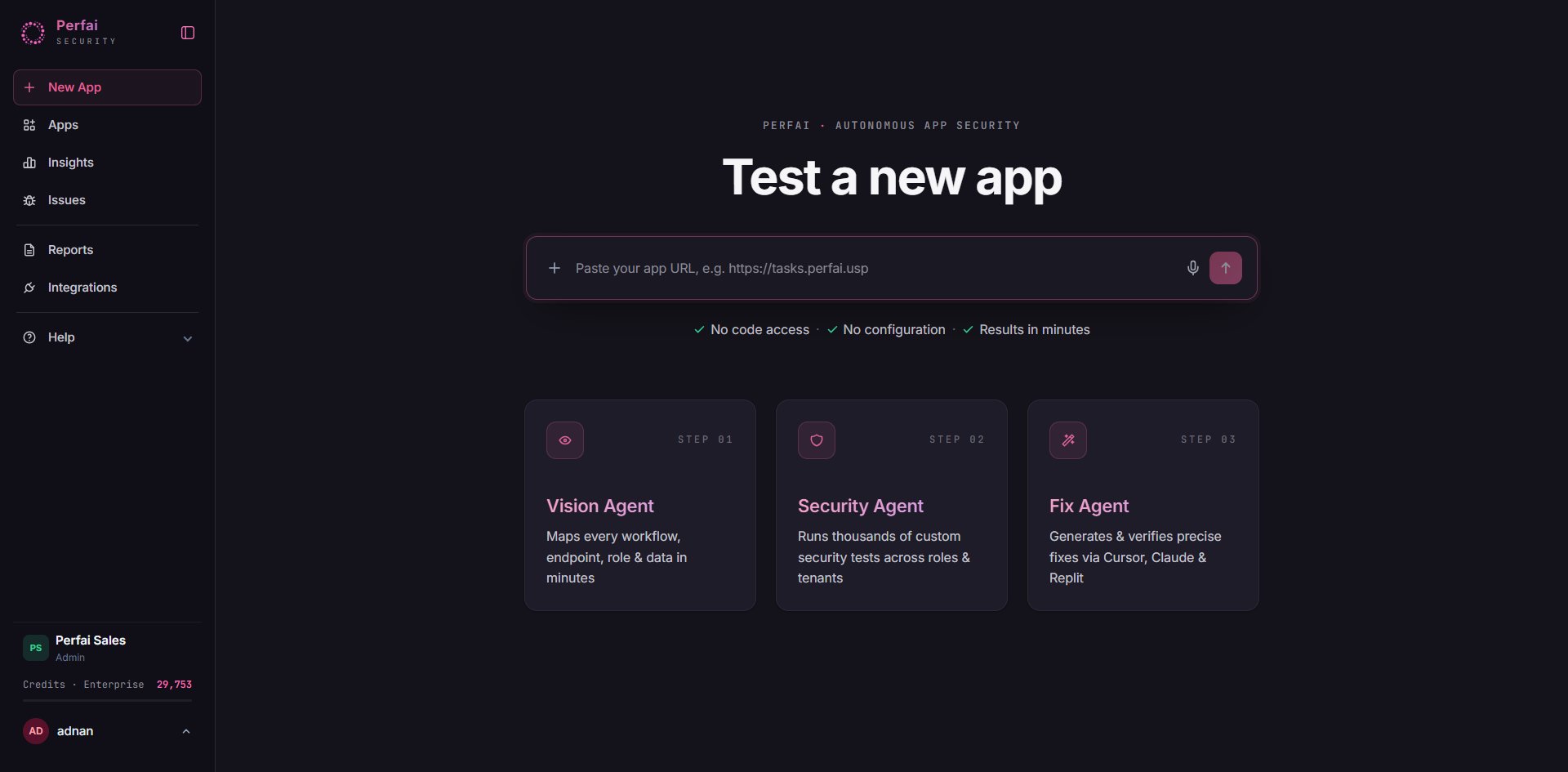
2
Confirm the task plan and start the agents
A New app setup modal appears listing the four tasks that will run automatically. Click Continue.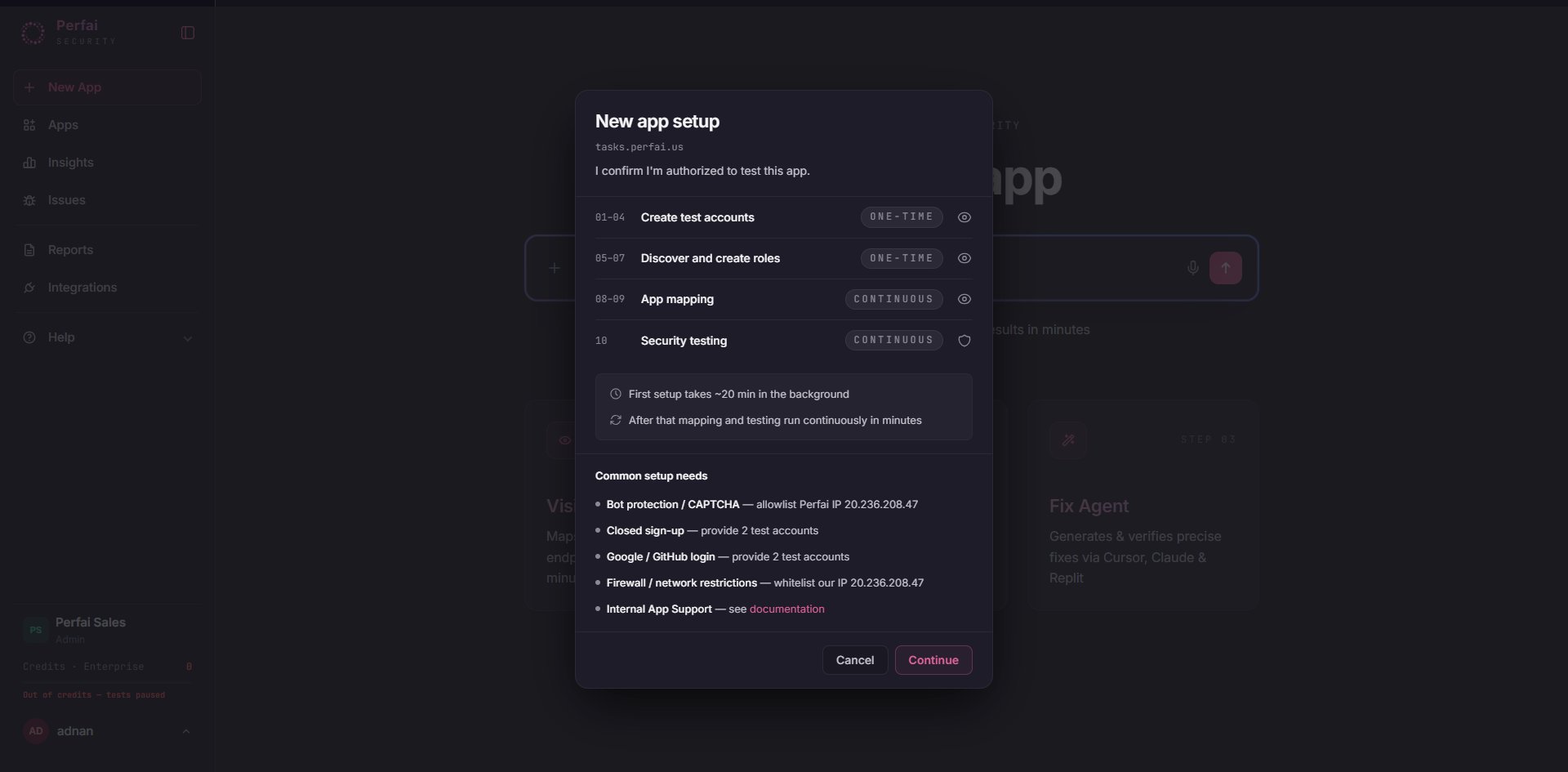
One-time tasks run once to bootstrap your environment. Continuous tasks re-run automatically on every future scan.
3
Agent detects no sign-up path and asks how to proceed
The Vision Agent opens a cloud browser and attempts to auto-create accounts. When it can’t find a public sign-up flow — no registration page, invite-only gating, or SSO wall — the Create Test Accounts task turns red and the agent surfaces three options.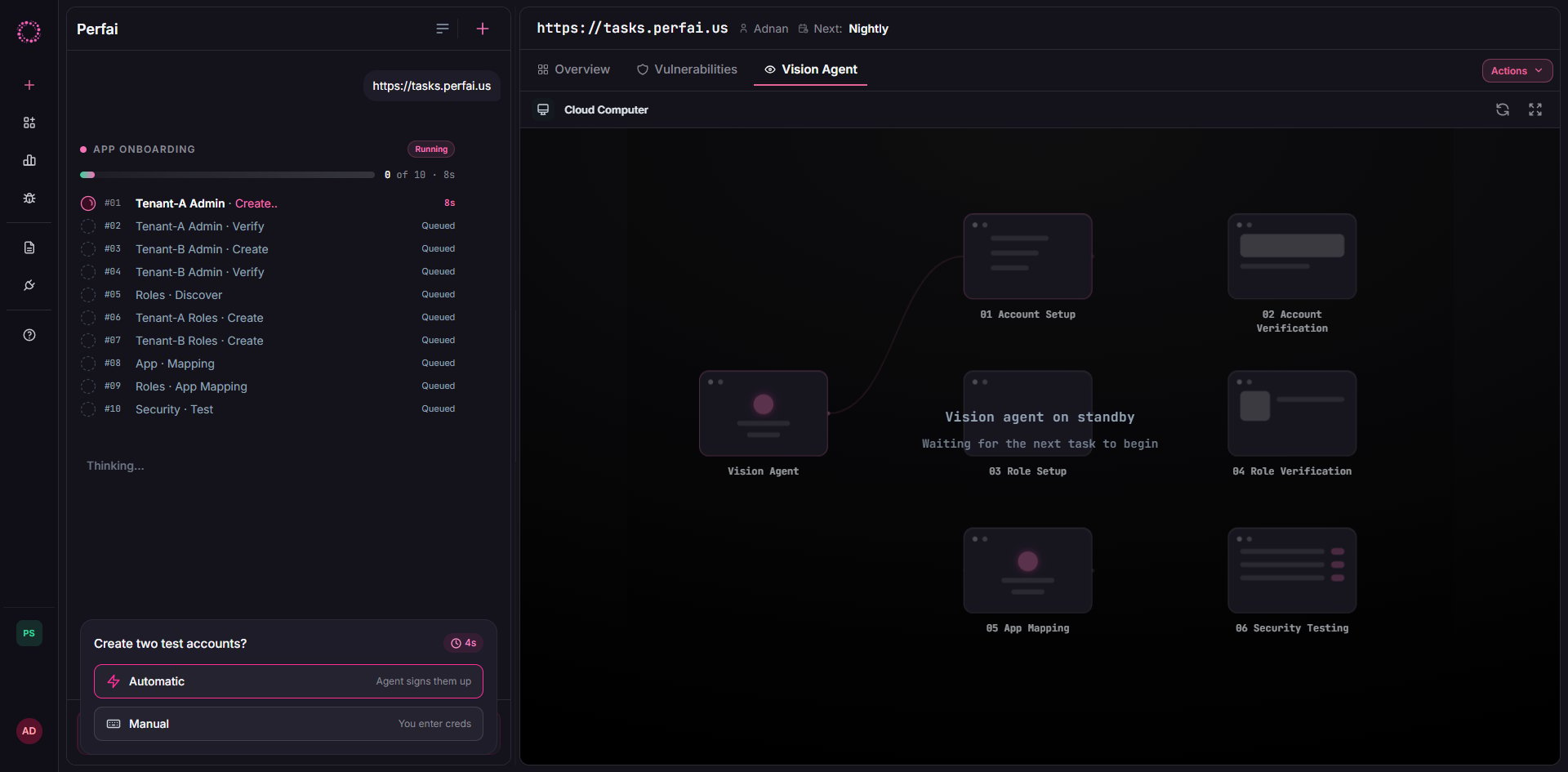
Select Manual — I’ll provide email/password.
4
Enter credentials for two admin accounts from separate tenants
The credential form appears. Enter email and password for both accounts, then click Save Credentials.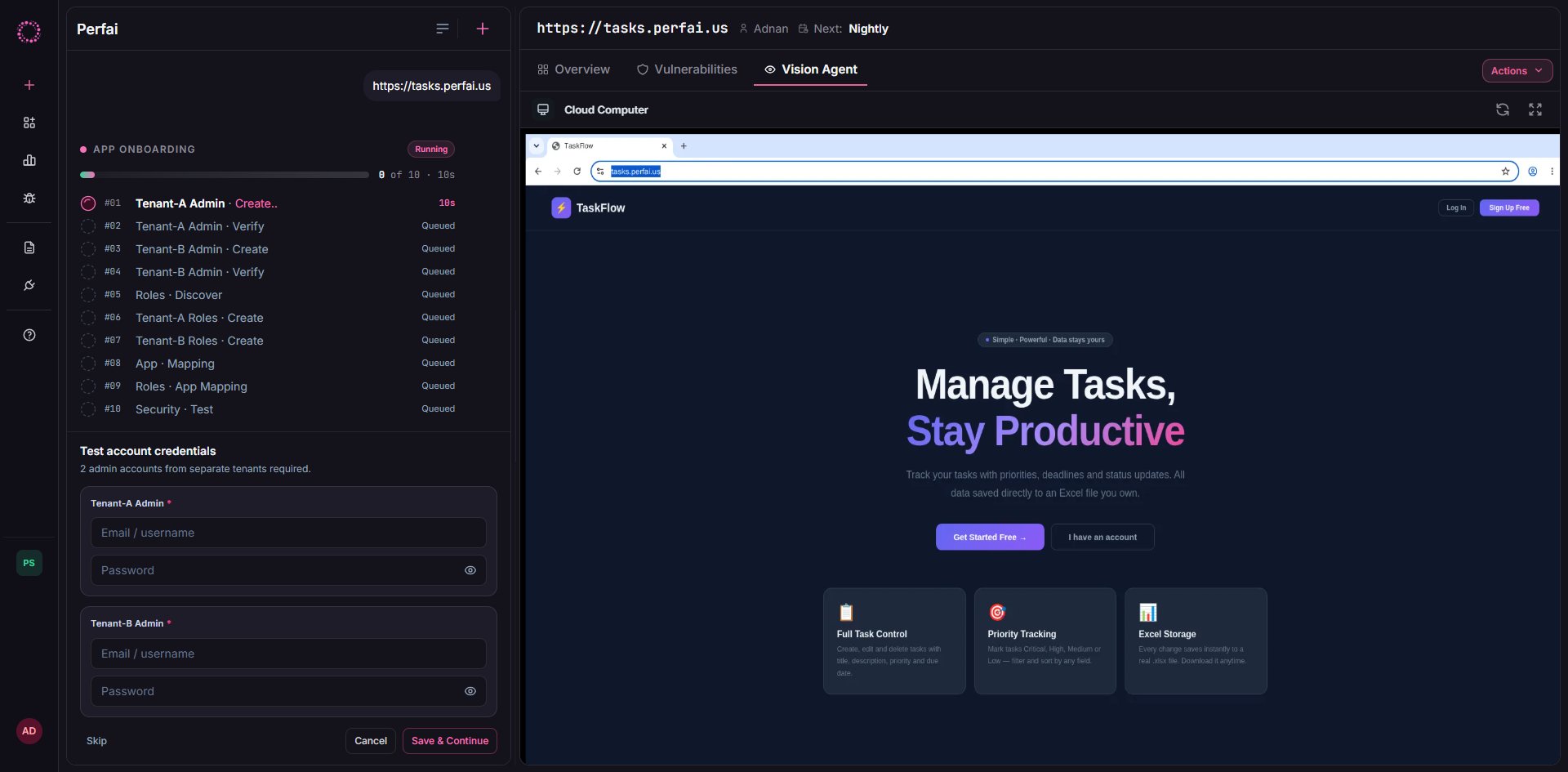
5
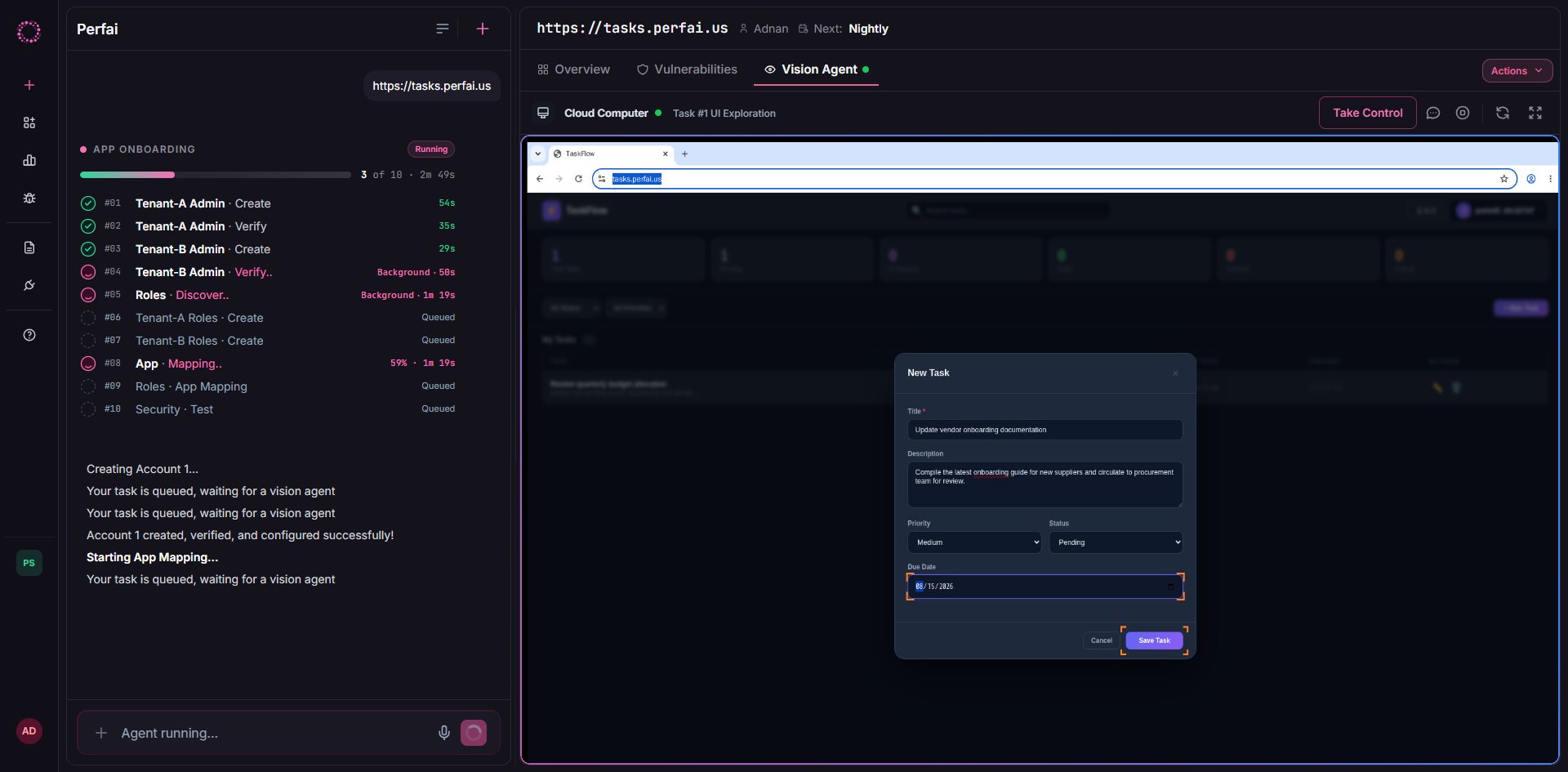
Agent validates login and proceeds to app mapping
The Vision Agent immediately logs in as each account and verifies access using a live cloud browser session.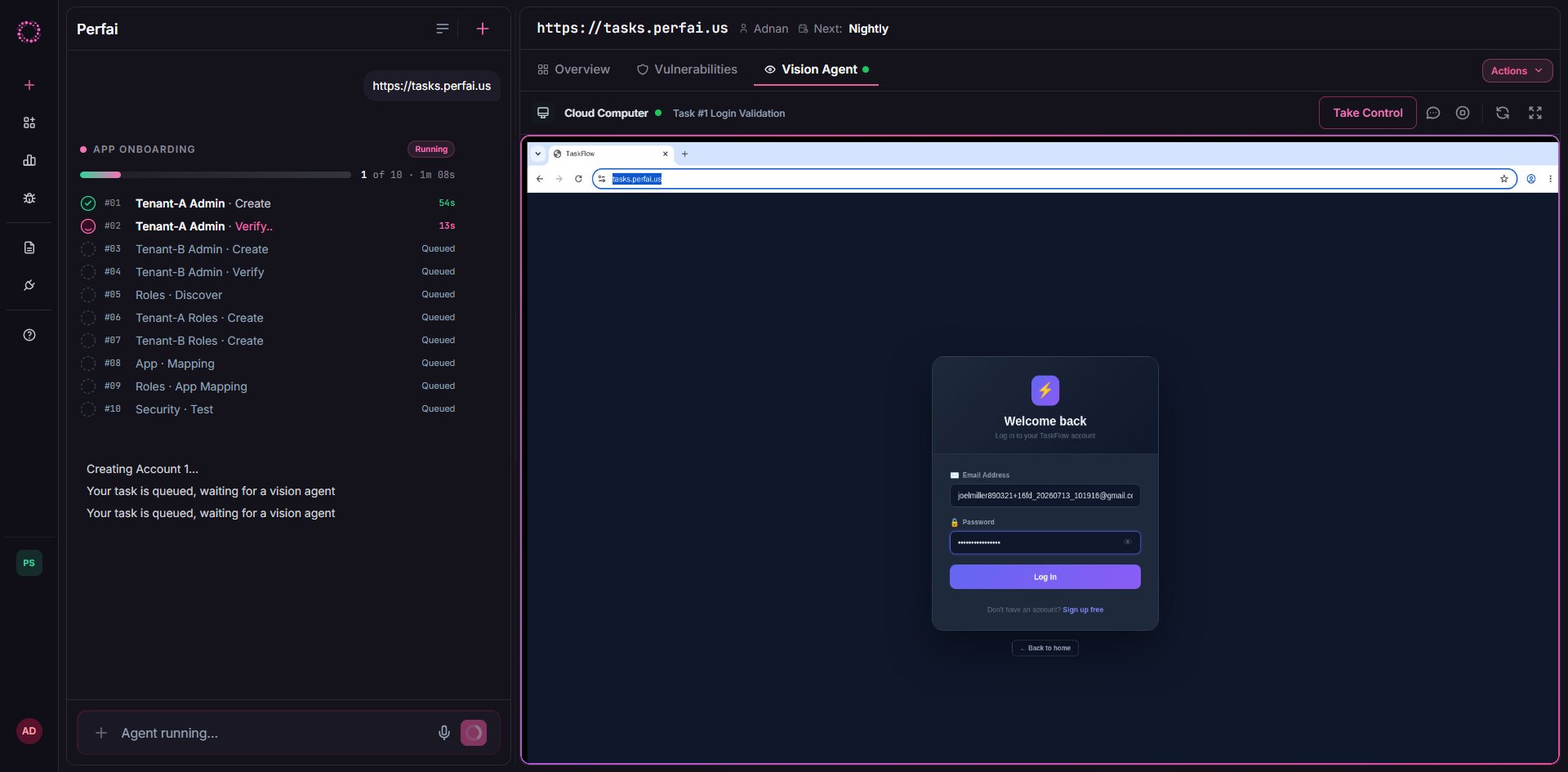
After the walkthrough
Once both accounts are verified and the app is mapped, the full Perfai pipeline runs on its continuous schedule. You won’t need to re-enter credentials — they are stored encrypted and reused on every subsequent scan.Frequently asked questions
What if we use SSO and there's no password?
What if we use SSO and there's no password?
Perfai currently requires email/password credentials. For SSO-only apps, create a dedicated test account in your identity provider with password login enabled, or use a service account set up specifically for automated testing.
Do the accounts need to be real admin accounts?
Do the accounts need to be real admin accounts?
Yes. Accounts with restricted permissions cause the Vision Agent to miss endpoints, producing incomplete attack surface coverage and fewer findings. Use the broadest admin role available in your test environment.
Can I use the same tenant for both accounts?
Can I use the same tenant for both accounts?
No. Cross-tenant isolation is what Perfai tests. Two accounts in the same tenant cannot produce BOLA or cross-tenant privilege escalation findings — the most critical vulnerability class Perfai detects.
Where are credentials stored?
Where are credentials stored?
Credentials are encrypted at rest and in transit. They are tied to your app record and used only when agents run. You can rotate or remove them any time from the app’s Settings tab.
What if I skipped and want to add credentials later?
What if I skipped and want to add credentials later?
Open your app dashboard → Tasks → Create Test Accounts and click the task to re-open the credential form. After saving, trigger a new scan from Actions or wait for the next nightly run.